



Archive a program
Archive a program
Archive a program when it has run its course and you want it out of everyone’s way without losing anything. An archived program leaves everyone’s sidebar. Archiving deletes nothing: its content, members, answers and reports stay as they are. You can bring it back as it was, as long as your plan has room for it.
Owners, Admins and Implementation Admins can archive and un-archive programs.
Archive a program
- Hover the program’s name in the sidebar and open its ellipsis menu (three dots). You can also open Admin Area > All programs and open the ellipsis menu on the program’s row.
- Select Archive.
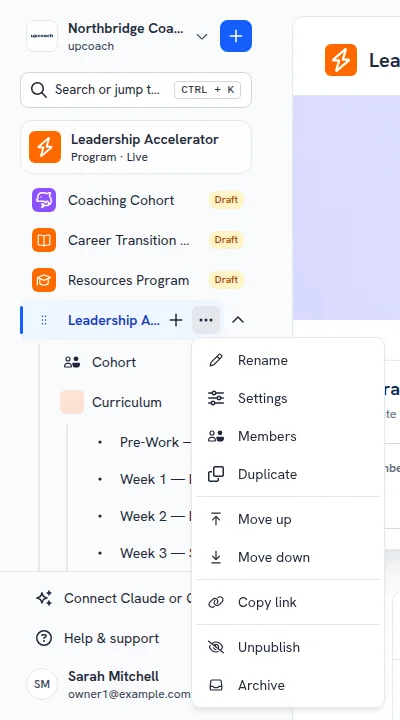
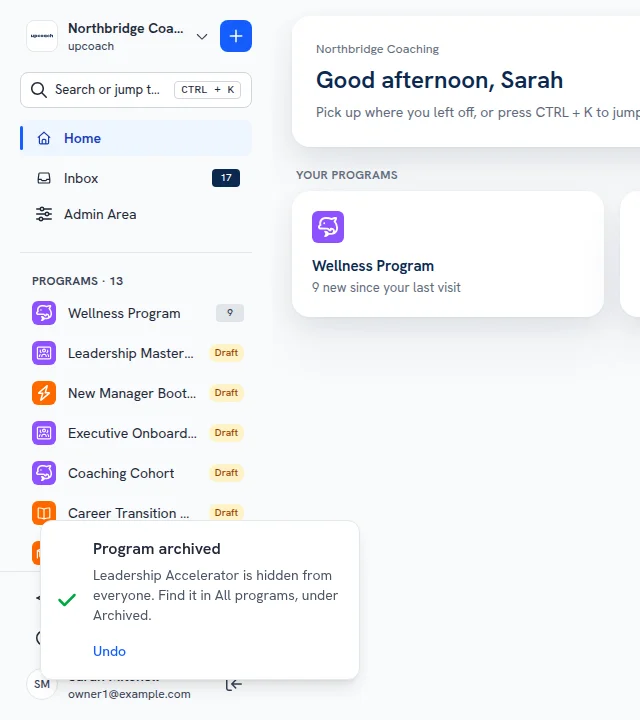
The program leaves the sidebar and a message confirms it: “Program archived”. Click Undo in that message to bring the program straight back.
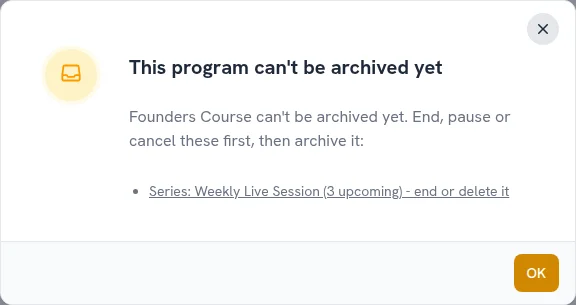
When a program can’t be archived yet
upcoach doesn’t archive a program while some of it is still running. Wrap these up first:
- an upcoming event, or one that is happening now (a recurring series counts while it still has events ahead)
- a live offer that sells it
- an active subscription to it
The message lists what is still running, with links to the events and offers. Past five of a kind, an “and more” line links to the program’s events or to your offers. End or delete the events, pause the offers and cancel the subscriptions, then archive the program. Past events, paused offers and one-time purchases don’t stop you.
What changes while a program is archived
- Participants, coaches, sponsors and Program Admins no longer see it. A link to it shows Page Not Found.
- Owners, Admins and Implementation Admins find it in Admin Area > All programs under the Archived status, and in Program Reports, where it is labelled “(Archived)”. They can still read its reports, and nobody can change anything in it from the program.
- Nothing is sent from it: no notifications, reminders, digests or calendar invites. Notifications people received before you archived it leave their inbox until it comes back.
- Its offers can’t sell it. The checkout page says the offer is no longer available, and a paused offer for it can’t go live.
- The AI connector and the upcoach API don’t see it.
- A shared impact report link says the report is no longer available, and works again once you un-archive the program.
- It doesn’t count toward your plan’s program limit.
- Shared activities and rituals are the exception. An activity or ritual used in more than one place is one shared item. Editing it from the Activity Library, the Rituals library or another program with Save All Copies changes it in the archived program too. Deleting an activity from the Activity Library removes it, with its answers, from every program it is in, the archived one included. The AI connector won’t edit or delete an activity used in an archived program.
Un-archive a program
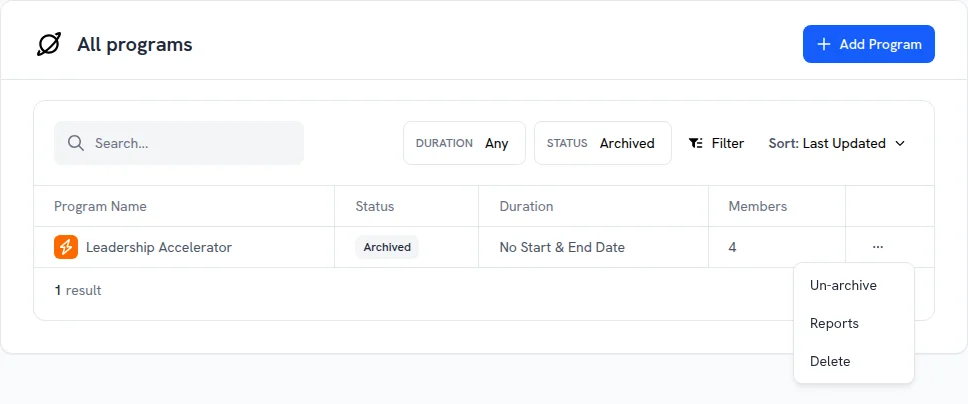
- Open Admin Area > All programs.
- Set the Status filter to Archived.
- On the program’s row, open the ellipsis menu and select Un-archive.
The program comes back as it was before you archived it, Draft or Live, with its content, members and reports. It counts toward your program limit again, so your plan needs room for it. Drip sections whose release date came while it was archived are released when it comes back Live.
Archive or delete?
Archiving deletes nothing, and you can un-archive the program when your plan has room for it. Delete removes the program and everything in it for good. See Delete a program.