



Understand program types
Understand program types
Program types are templates that generate a complete program when you create a new space. You pick a format, fill in a few details (like your program name and start date), and upcoach builds the curriculum, events, channels, and settings for you.
How types are organized
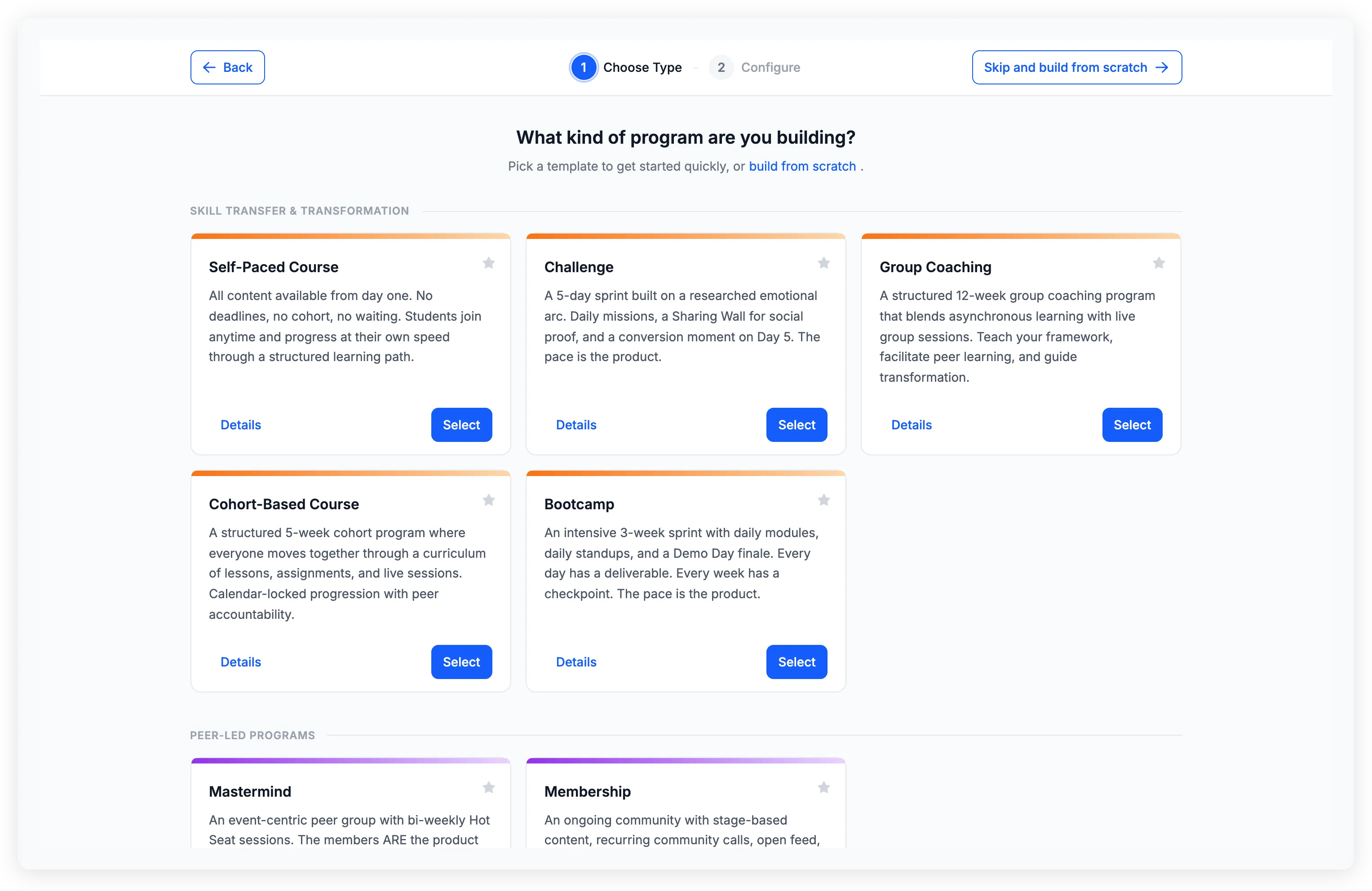
The type gallery is organized into categories based on delivery format:
- Skill Transfer & Transformation — Structured programs where you teach a framework or guide participants through a curriculum. Includes formats like Group Coaching, Cohort-Based Course, Self-Paced Course, Challenge, and Bootcamp
- Peer-Led Programs — Formats where the community drives the value. Includes Mastermind and Membership
- Private Coaching — One-on-one formats with individual sessions and personalized content. Includes 1:1 Coaching and 1:1 Program
Each type card shows a short description and a recommended duration. Click Details to see a full breakdown of what the wizard will create, along with tips for running that format.
What a type creates
When you select a type and complete the configuration, upcoach generates a ready-to-use program. Depending on the type, this can include:
- Curriculum sections — Pre-structured content areas (e.g., Week 1, Week 2) with activities like lessons, worksheets, and task lists
- Events — Group calls or sessions with dates calculated from your start date
- Session packages — Booking slots for individual meetings (requires a connected calendar)
- Channels — Discussion spaces for group conversation
- Feed — An announcements and sharing area
- Welcome content — A landing page participants see when they enter
- Setup checklist — A guided list of next steps to finish setting up your program (see Use the program setup checklist)
Not every type creates all of these — each is tailored to its format. The type detail page shows exactly what will be generated before you create.
Build from scratch
If none of the types fit your needs, you can skip the gallery and start with an empty program. Click Skip and build from scratch in the wizard header, or use the build from scratch link on the gallery page. You’ll get a blank space where you add apps and content yourself.
After creation
Everything a program type generates is fully editable. You can rename, reorder, add, or remove sections and activities, adjust events, install or remove apps, and change any setting. The type gives you a structure — you shape it from there.
Favorites and suggestions
Star any program type to mark it as a favorite for quick access next time. If you don’t see a format that fits your needs, click Suggest a new program type at the bottom of the gallery to send a request.