



Improved Programs
Quizzes: Retakes, a Pass Mark, and Modules That Unlock When Participants Pass
Quizzes can now be retaken, have a pass mark, and unlock the next module. Let participants try again until they’ve got it, decide what score counts as passing, and keep the next part of your program closed until they pass.
- Retakes: allow none, a number of retakes, or unlimited. Every attempt is kept, and you choose whether the best or the latest score is the one shown and reported
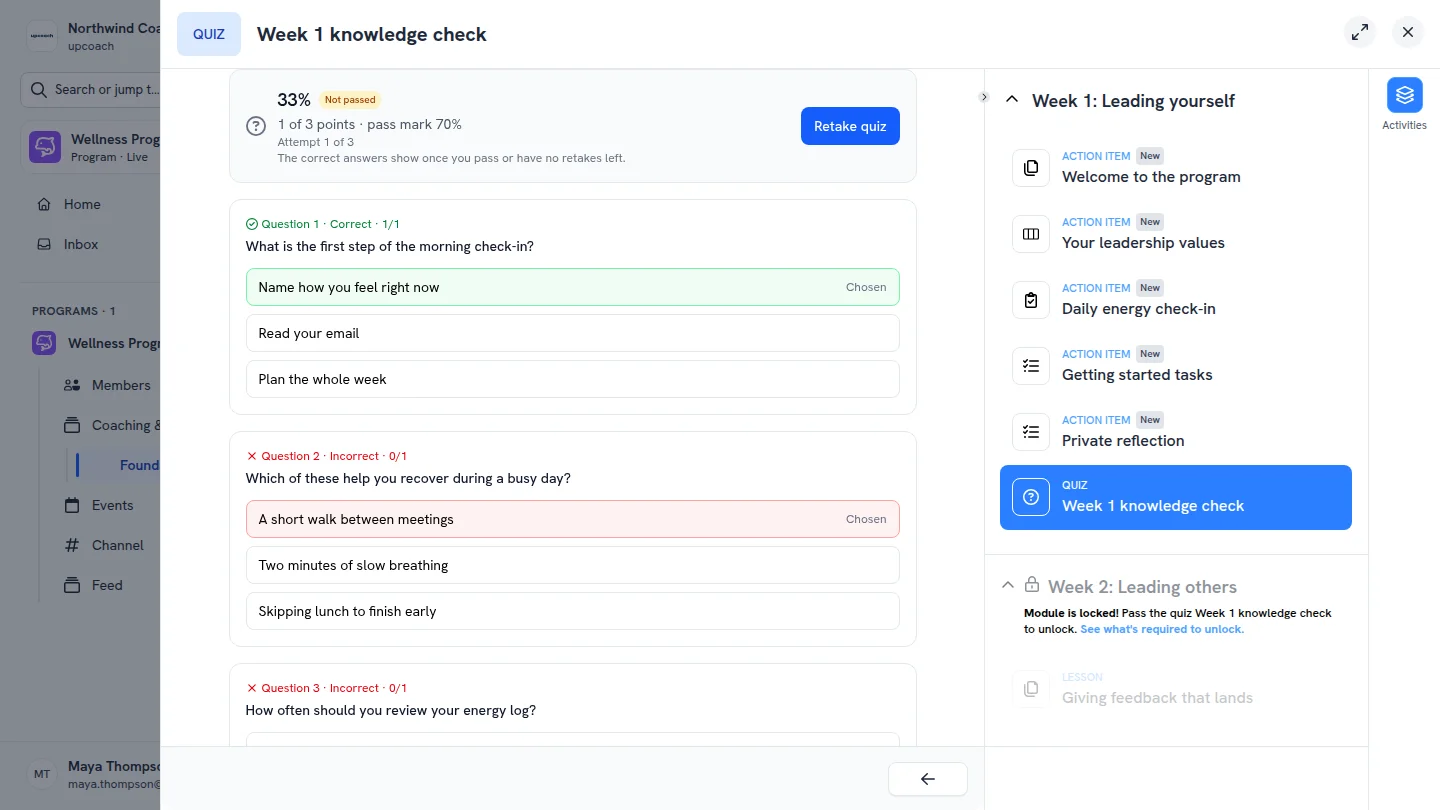
- Pass mark: set the percentage participants need. They see Passed or Not passed with their score, and the quiz counts as completed once they pass
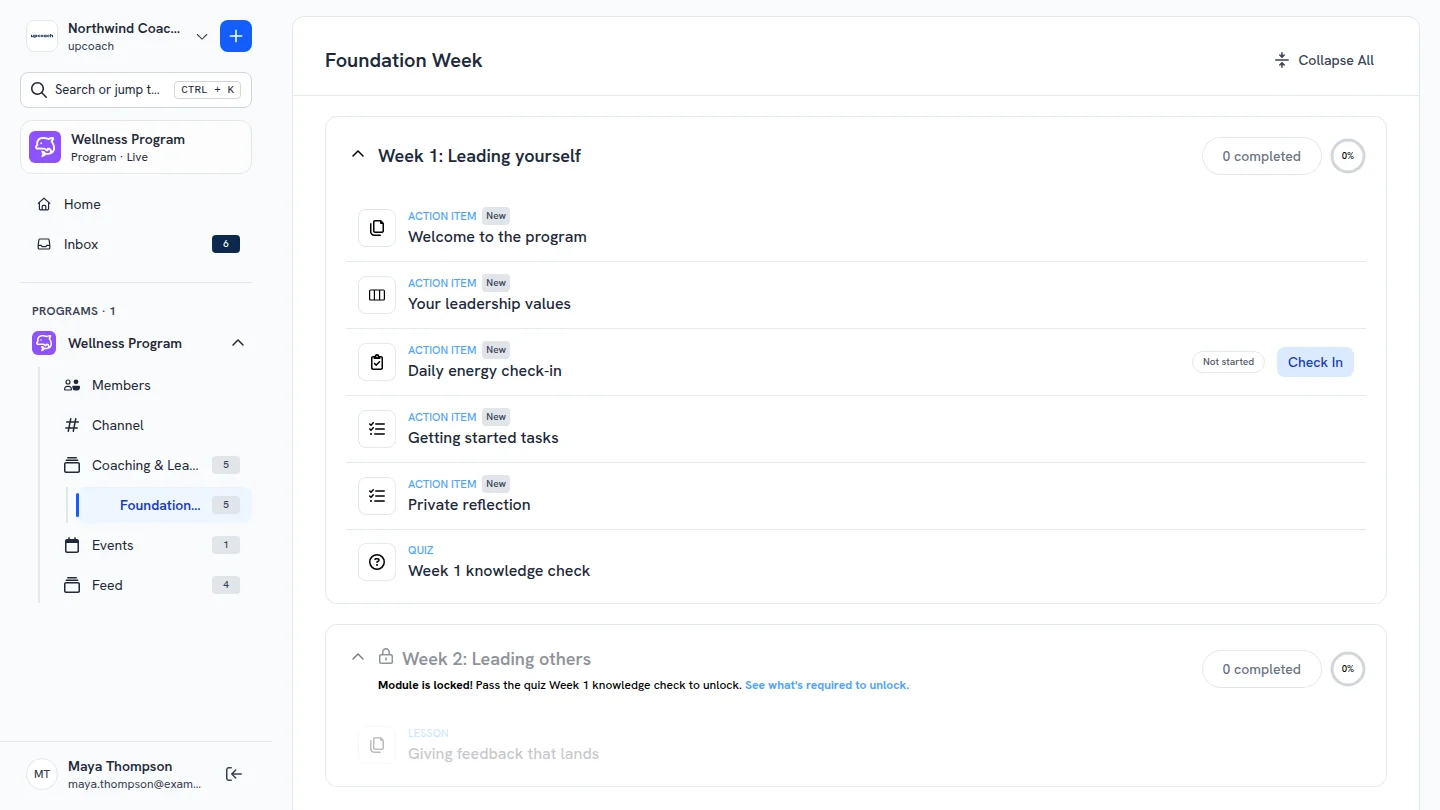
- Unlock the next module: in Edit Module, turn on Pass a Quiz and pick the quiz. Participants see “Pass the quiz Week 1 knowledge check to unlock” until they pass, and the module opens as soon as they do
- Answers after passing: on a quiz with a pass mark, the correct answers and your explanations show once a participant passes or has no retakes left
- Attempts in your reports: the quiz’s Results tab, Program Reports and the CSV export show each participant’s attempts and whether they passed
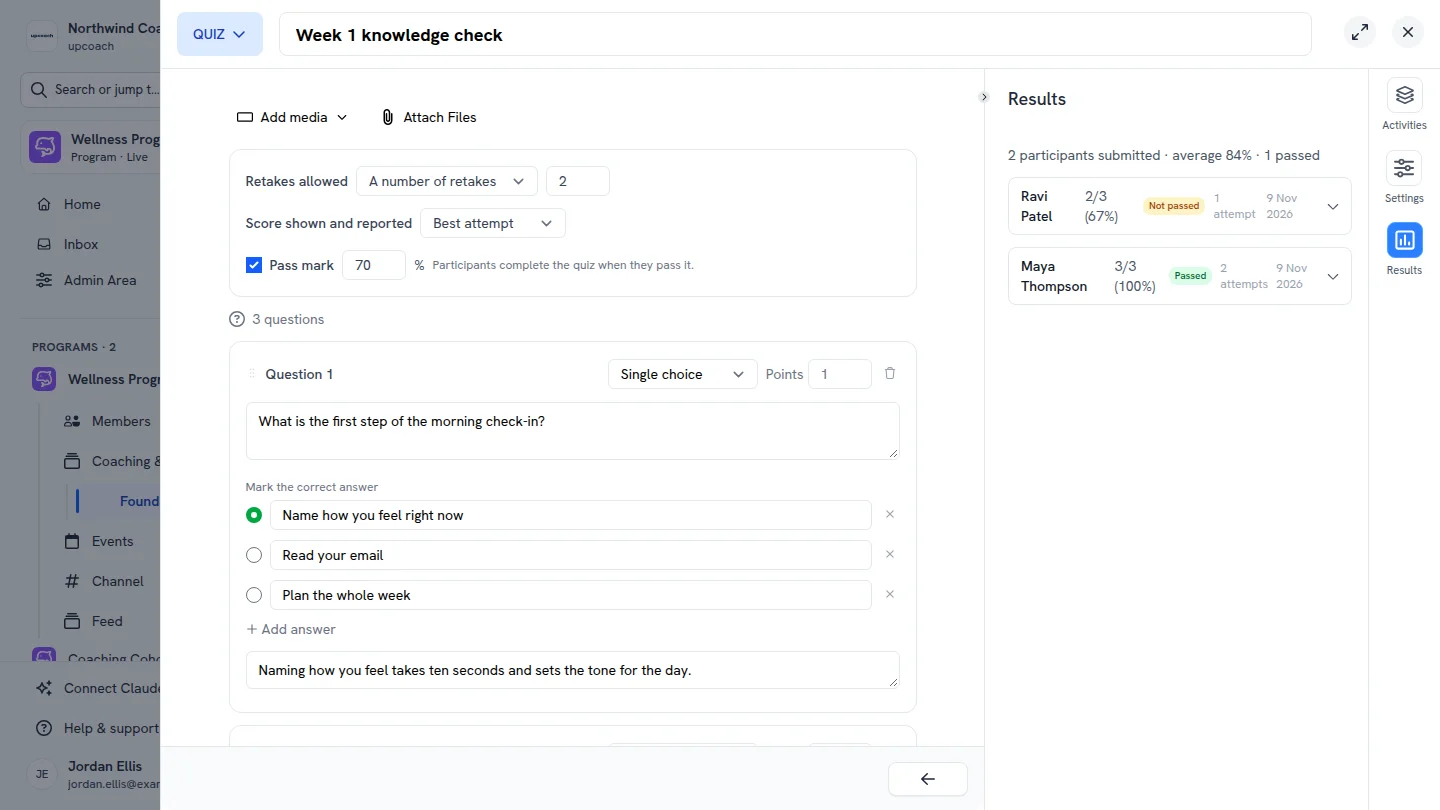
Allow retakes, set a pass mark, and see who passed and in how many attempts
The next module opens once participants pass the quiz
Participants see whether they passed and can retake the quiz