


Open Each Module of a Section on Its Own Date
A section’s modules can now open one at a time. In Edit Module, turn on Release on its own schedule and choose After the section opens (a number of days or weeks, at a time you choose) or On a specific date. A note shows the exact day and time the module opens. Modules without this setting open with their section, as before.
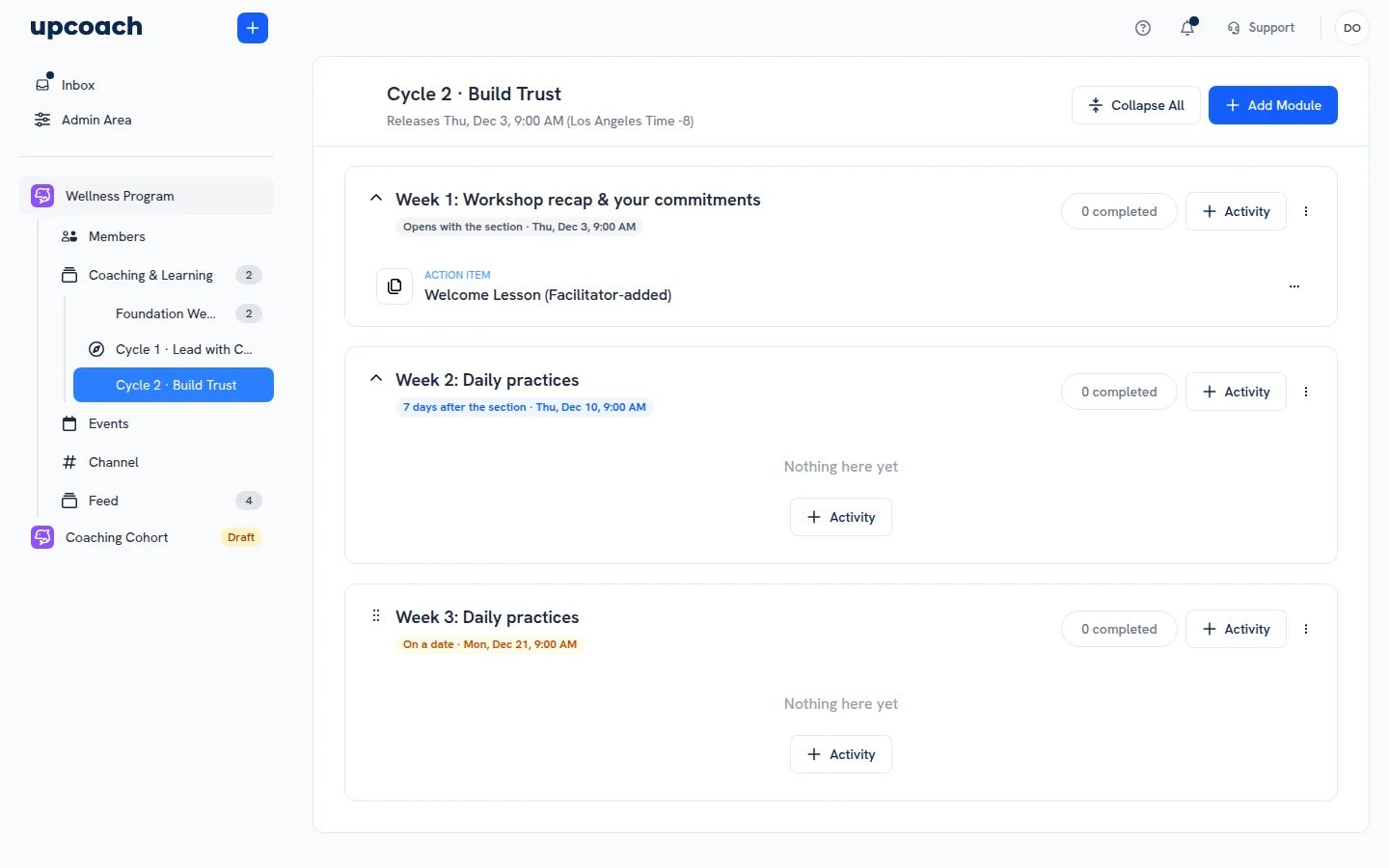
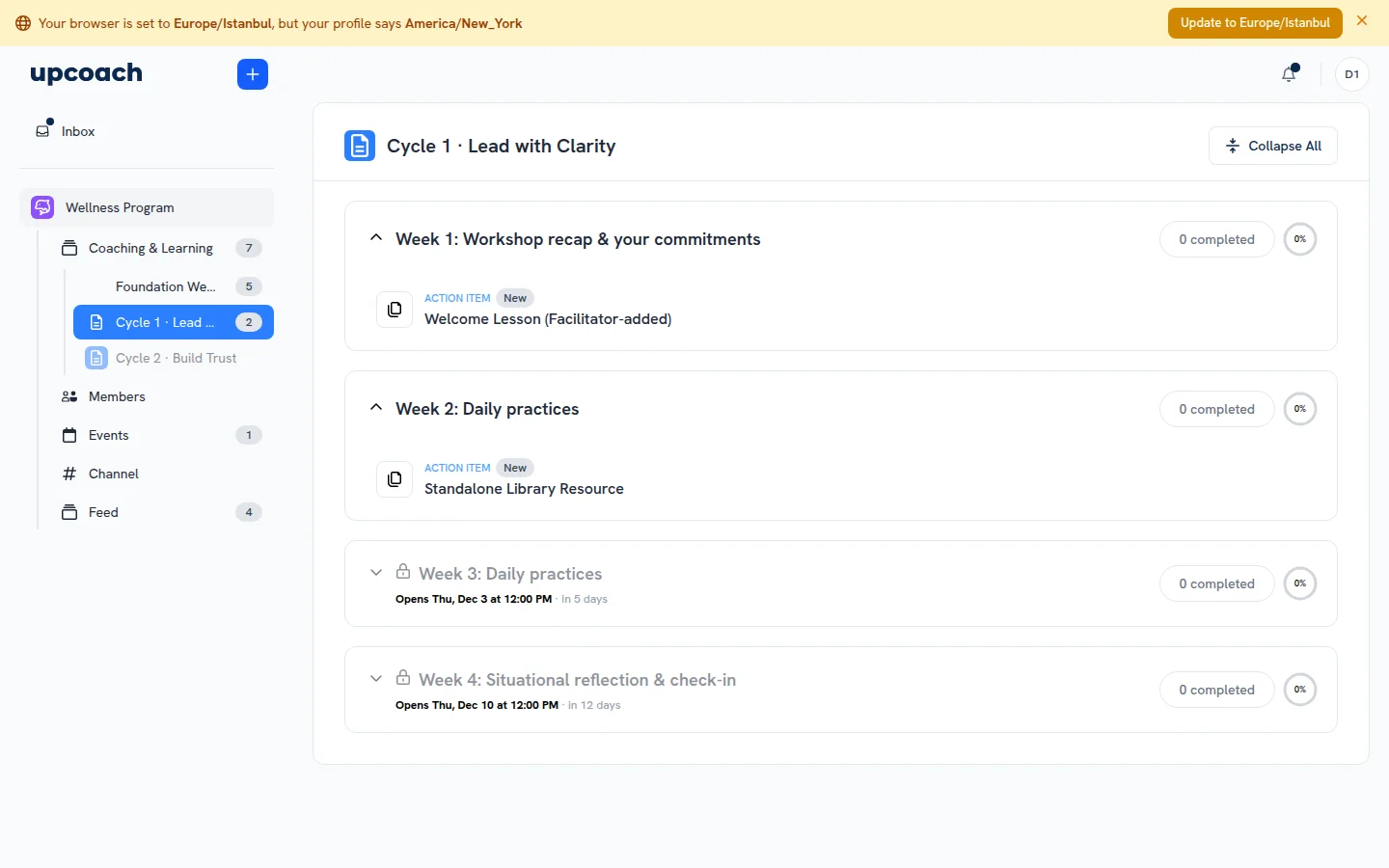
In the section, each module shows when it opens: with the section, a number of days after it, or on its own date. Participants see every module. One that hasn’t opened yet is locked and shows when it opens, in their own time zone. When it opens, they get a “new content” notification. A module that opens with its section is covered by the section’s notification.
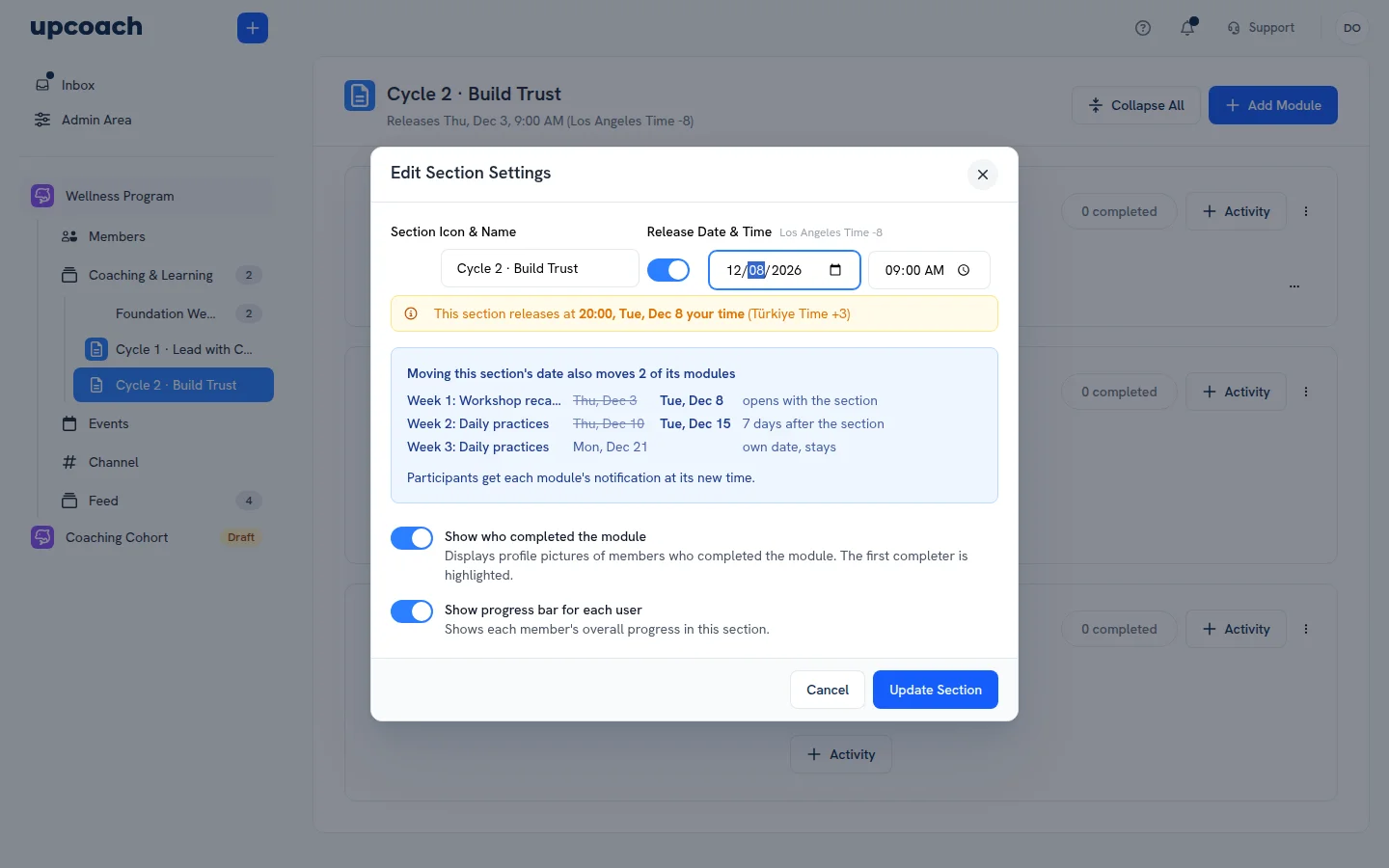
When you change a section’s release date, Edit Section Settings lists each module’s old and new opening day before you save. Modules set to open after the section move with it, and modules with their own date stay. A module never opens before its section. Required modules and quizzes still apply on top of the date, and Released only in Program Reports counts a module once it has opened.
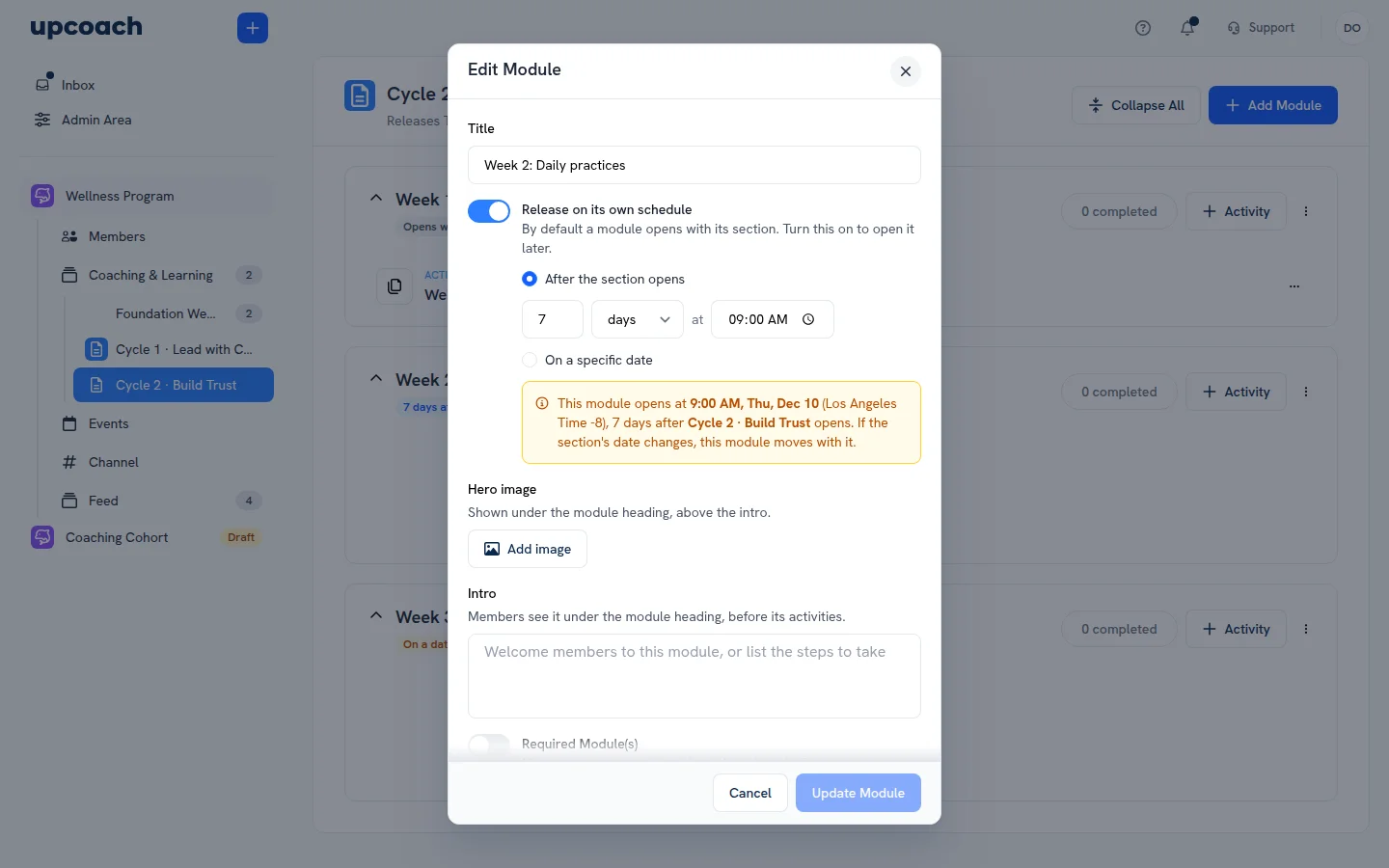
Give a module its own release date
See when each module opens
Participants see later modules locked, with the day they open
Check every module's new day before you move a section