


Live Session Agendas: Start from a Template, Run the Session, Share the Recap
Give a group session an agenda the whole group follows. In an event’s new Agenda tab, hosts list the session’s parts with their minutes, add a Check-in, sections participants write in, such as Wins, Questions and Commitments, and sign-up slots, such as hot seats. The agenda’s total shows against the event’s length.
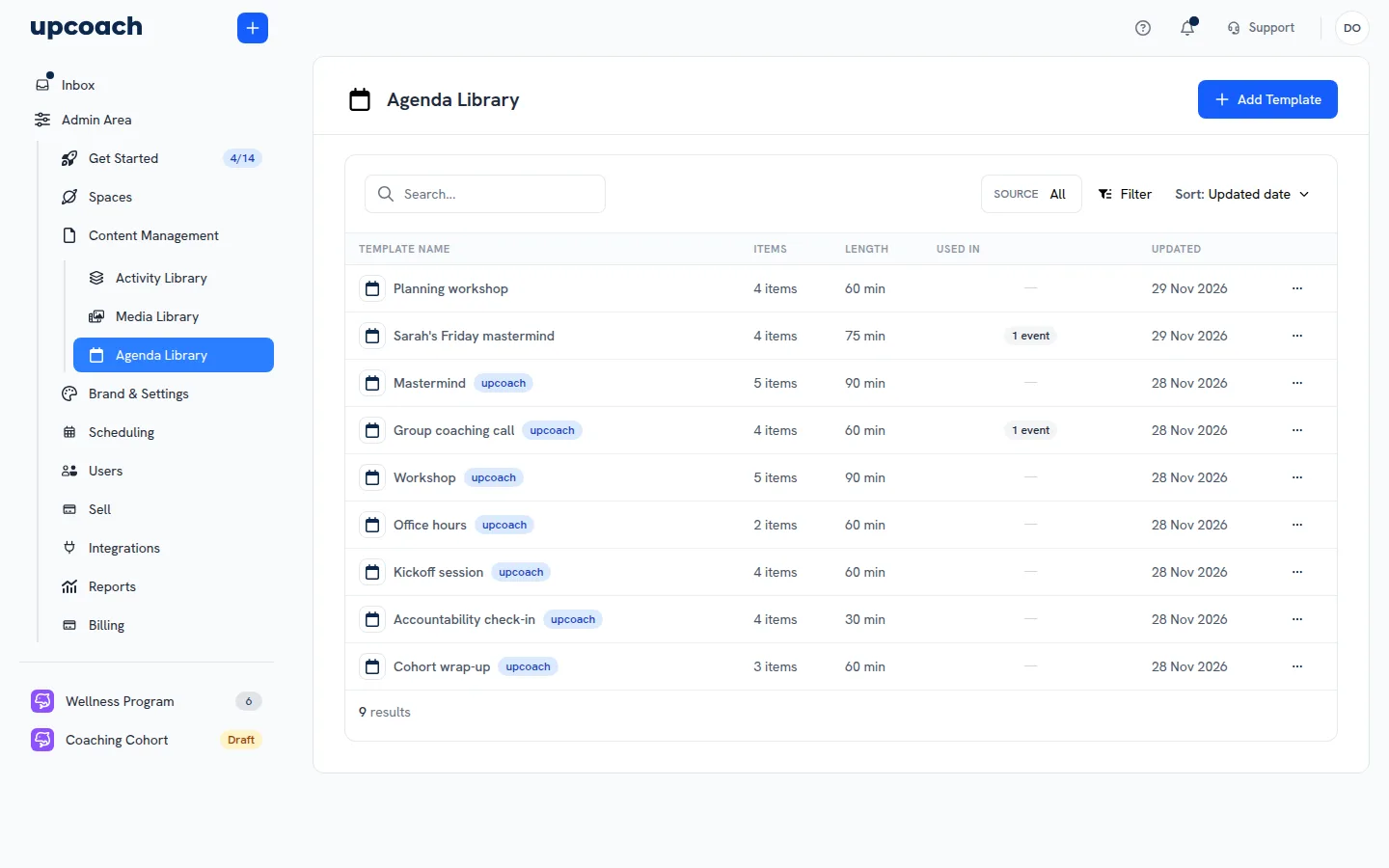
Start an agenda from the new Agenda Library, under Admin Area > Content Management. It has seven built-in templates, such as Mastermind, Group coaching call and Office hours, and keeps your own. Pick one in the event’s Agenda tab and the event gets its own copy to change, or save any event’s agenda as a template with Save as template…. Editing a template doesn’t change events already using it.
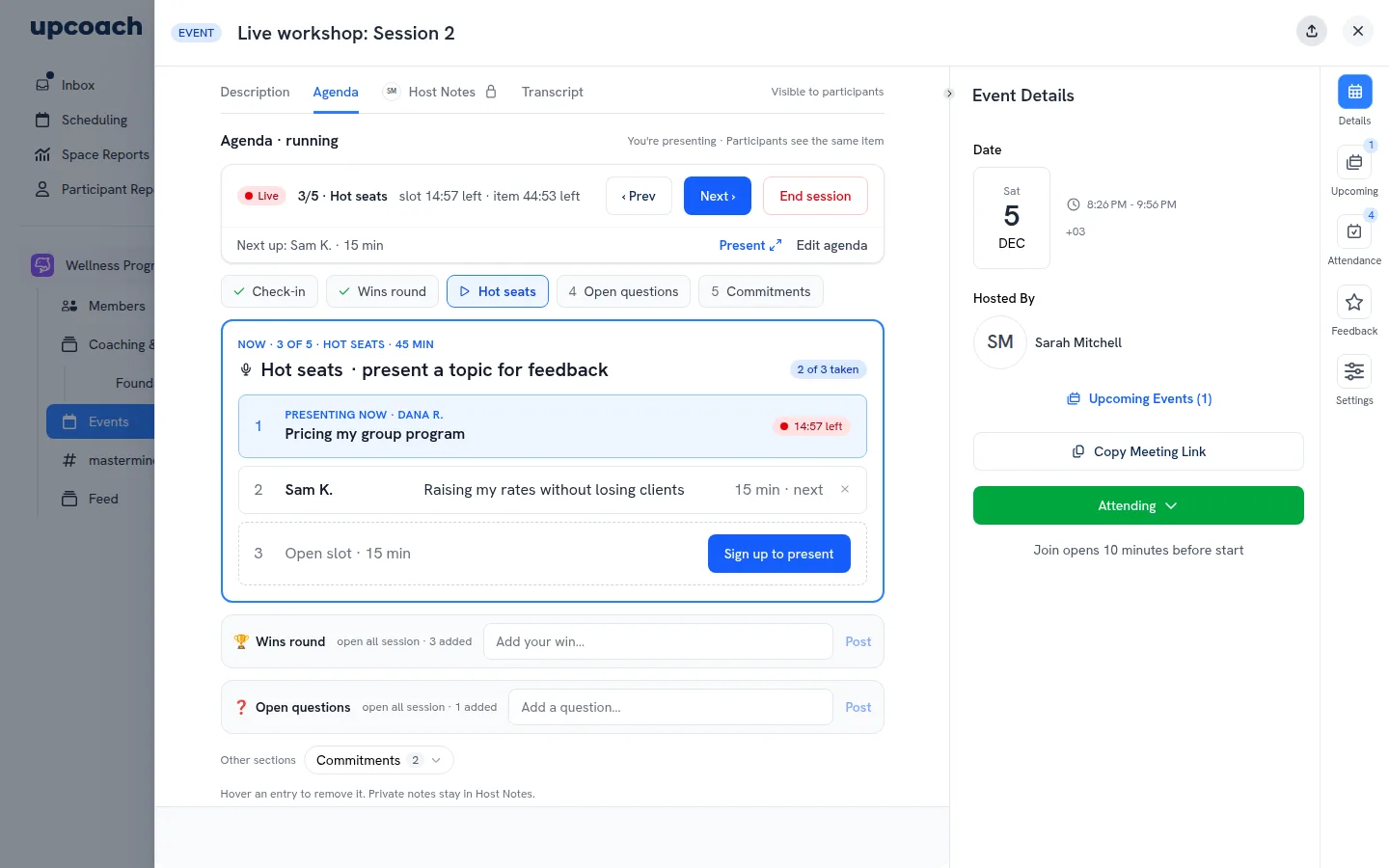
When the session begins, the host presses Start session, then Next to move everyone along, presenter by presenter on hot seats; co-hosts see who is presenting. Participants see the item the group is on, with its time left, add their wins and questions, and sign up to present. Everyone sees what’s added as it happens, unless the host keeps a section to each person’s own entries, and Full screen and Present show the agenda on its own. In the Events list, an event’s Agenda button shows ● Live · Agenda while the session runs and Recap after it.
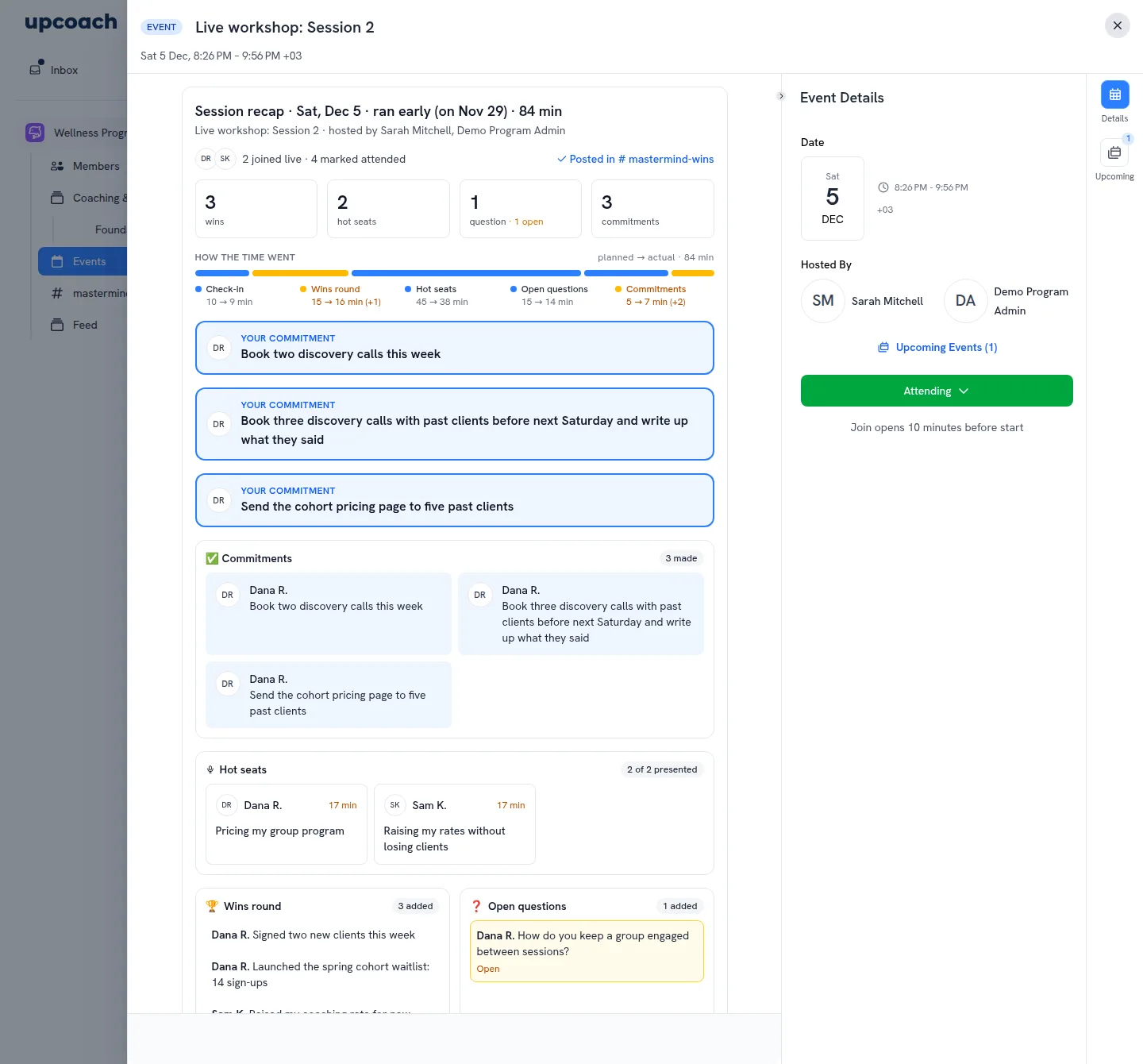
When the host ends the session, everyone’s agenda becomes a recap, dated with the session’s own date: who joined live and who was marked attended, the counts, planned against actual minutes, commitments by person and the questions still open. It is saved on the event, and the host can also post it in a program channel and email it to the attendees.
For a recurring event, the agenda belongs to the series, and saving asks which sessions it applies to. Commitments and unanswered questions show at the next session’s Check-in, even before it starts, where each commitment can be ticked Done.
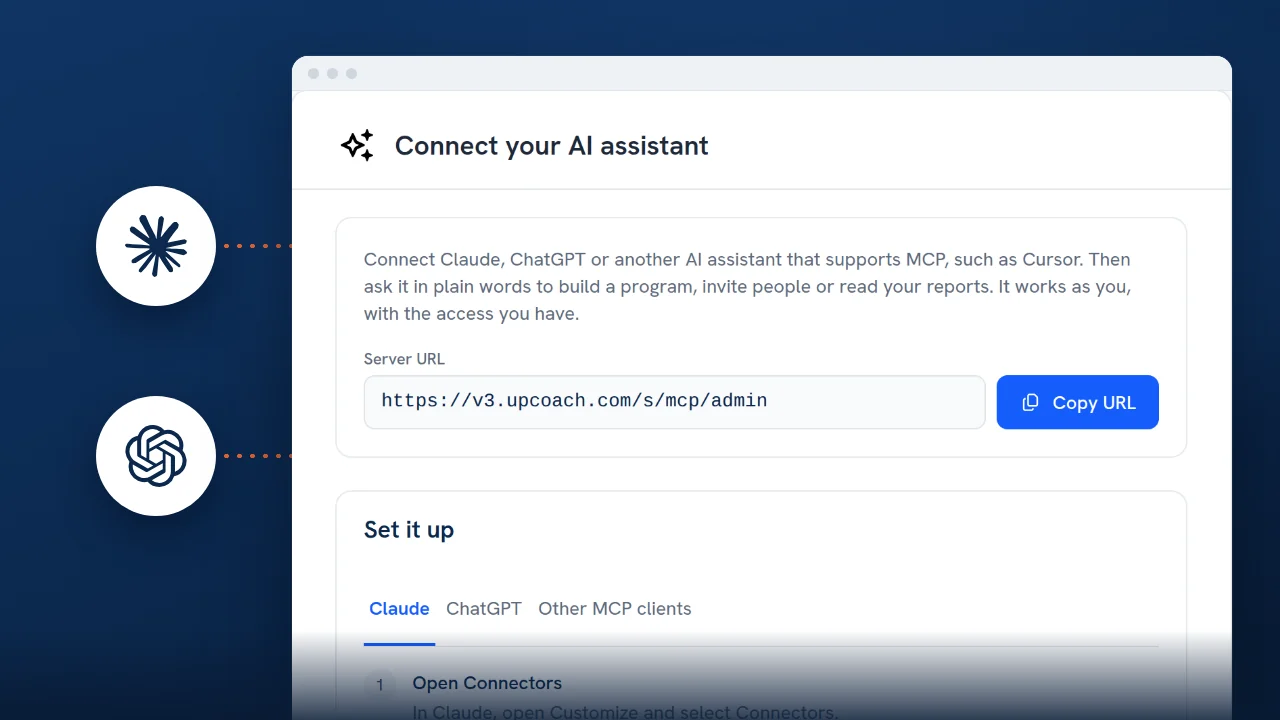
Your AI assistant can work with agendas too: through the upcoach connector, it can read and update an event’s agenda, read a session’s recap, and use or save agenda templates. See the connector’s tools.
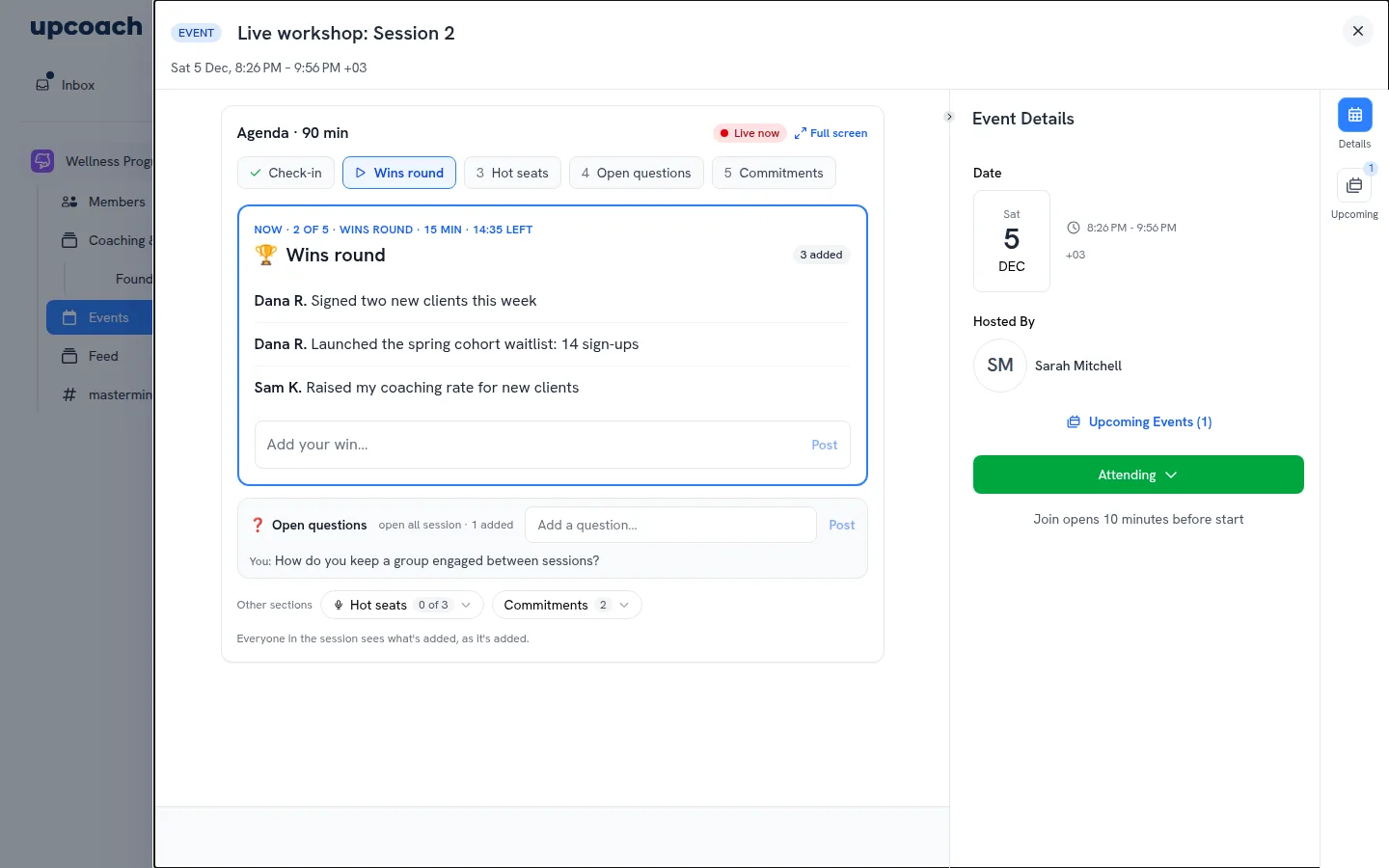
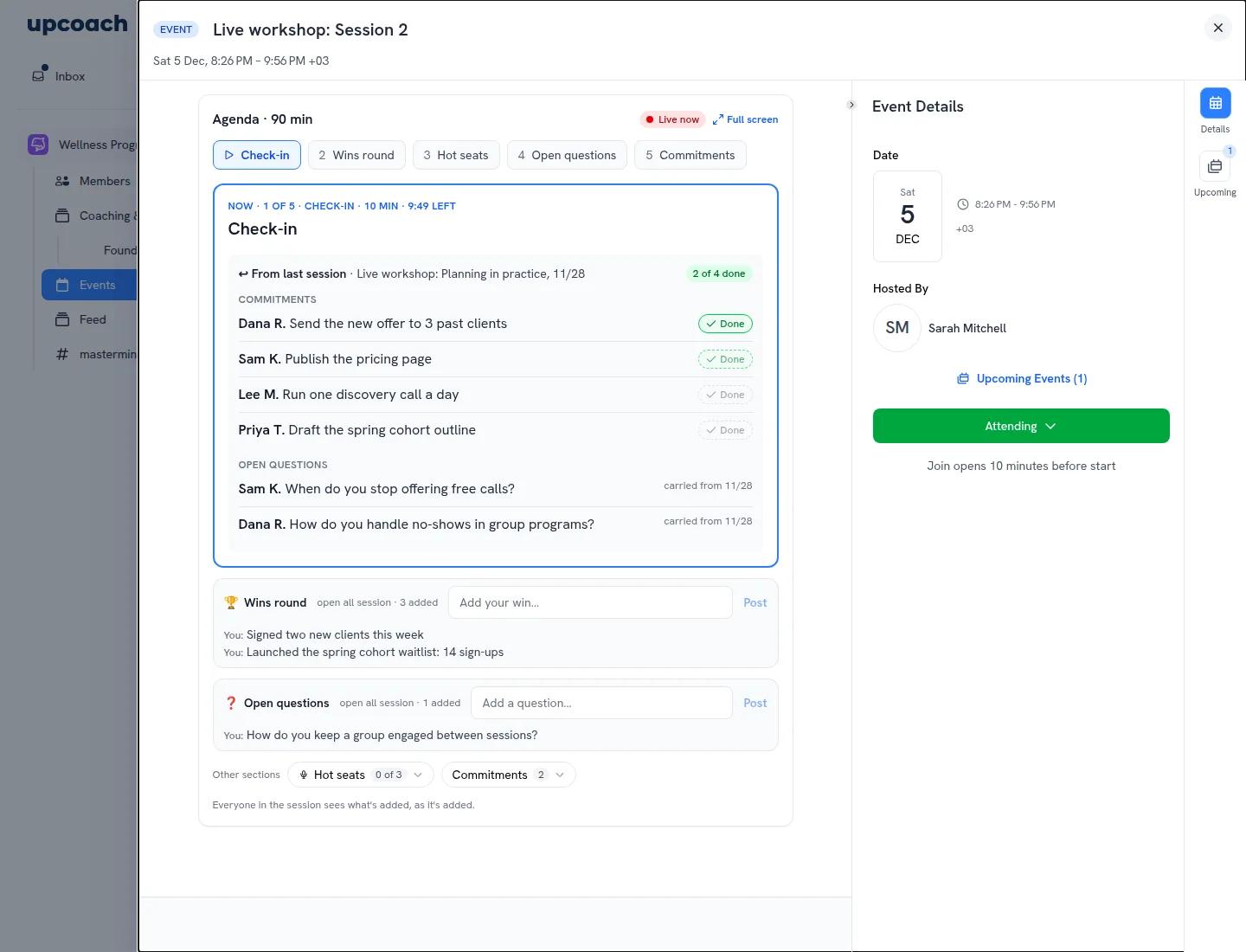
Participants follow the item the group is on, and add their wins and questions
Hosts move everyone along with Next, and present it full screen
The recap is saved on the event, and can go to a channel and by email
Commitments and open questions come back at the next session's Check-in
The Agenda Library keeps your agendas as templates, next to seven built-ins