


Improved Programs
Quizzes Can Have a Time Limit That Keeps Running if Participants Leave
Quizzes can now have a time limit. Tick Time limit in the quiz editor and choose the minutes participants get. The clock starts when they click Start quiz and keeps running if they leave the page, so the limit holds for everyone.
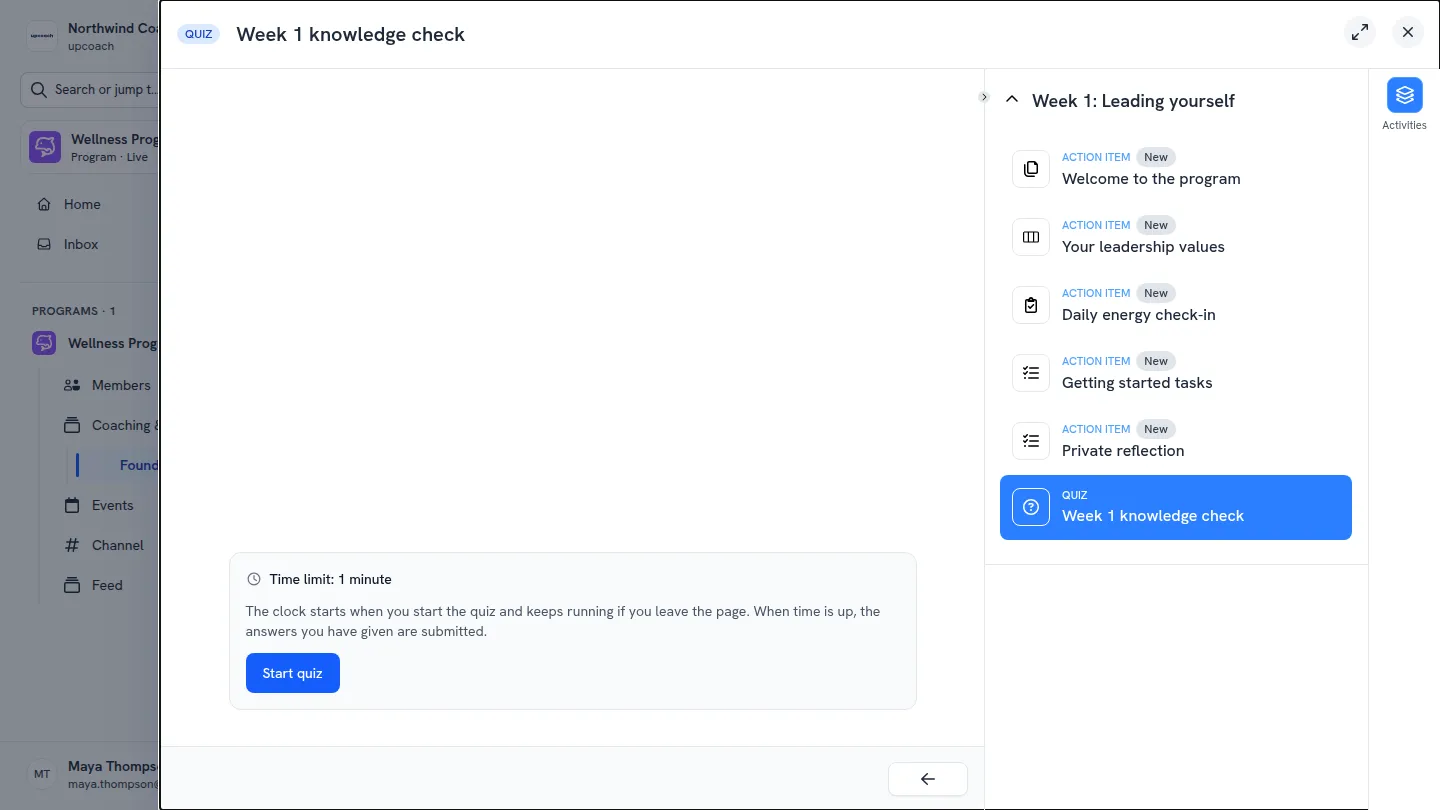
- A clear start: participants see the time they have before they start, and the questions show once they click Start quiz
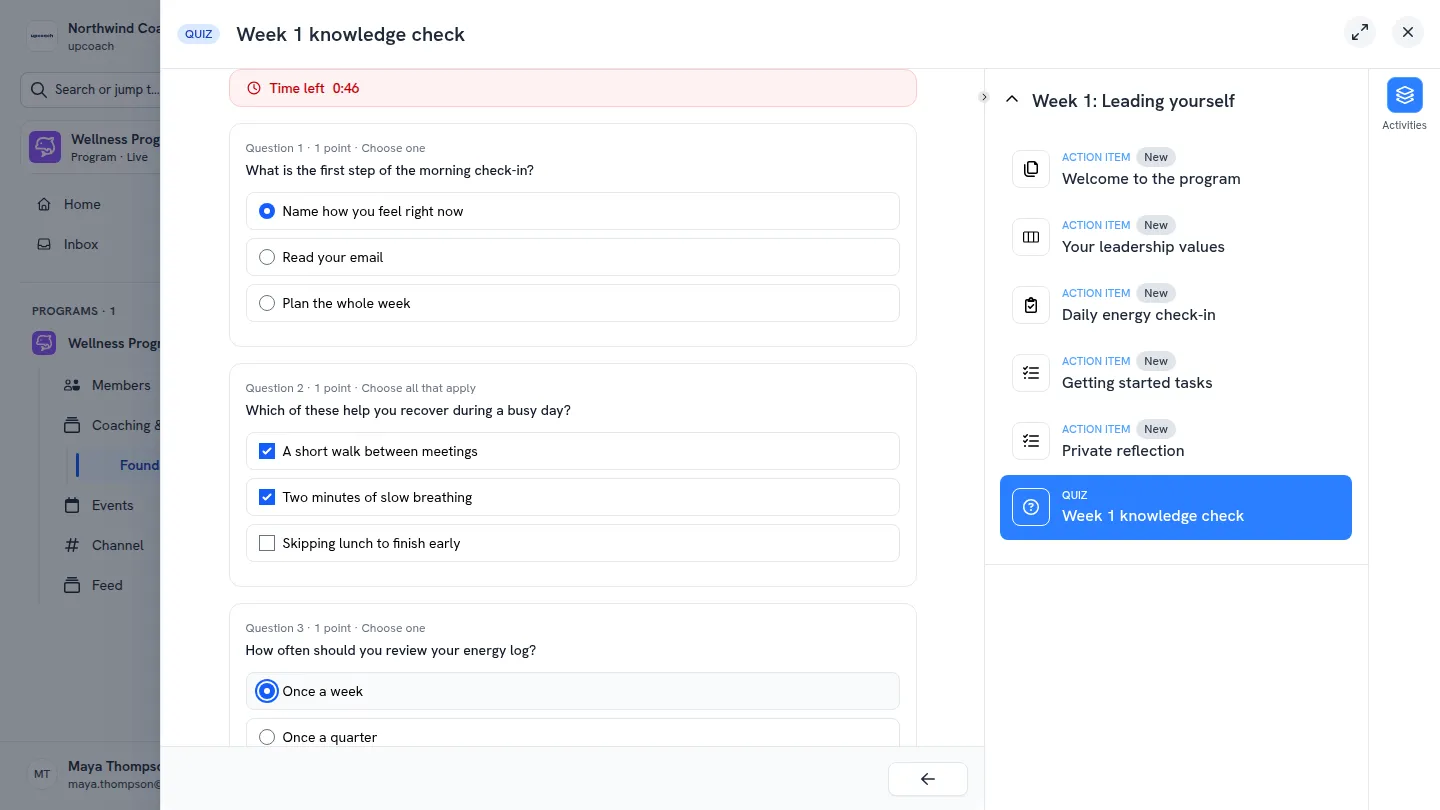
- Time left on screen: a countdown sits above the questions while they answer
- Nothing lost on a reload: answers are saved as they go, and reloading or coming back later picks up with the same answers and the time that’s left
- Submitted when time is up: the answers given so far are submitted and scored, even if the participant has closed the page
- Time taken in your results: the quiz’s Results tab and each participant’s activities in Program Reports show how long they took
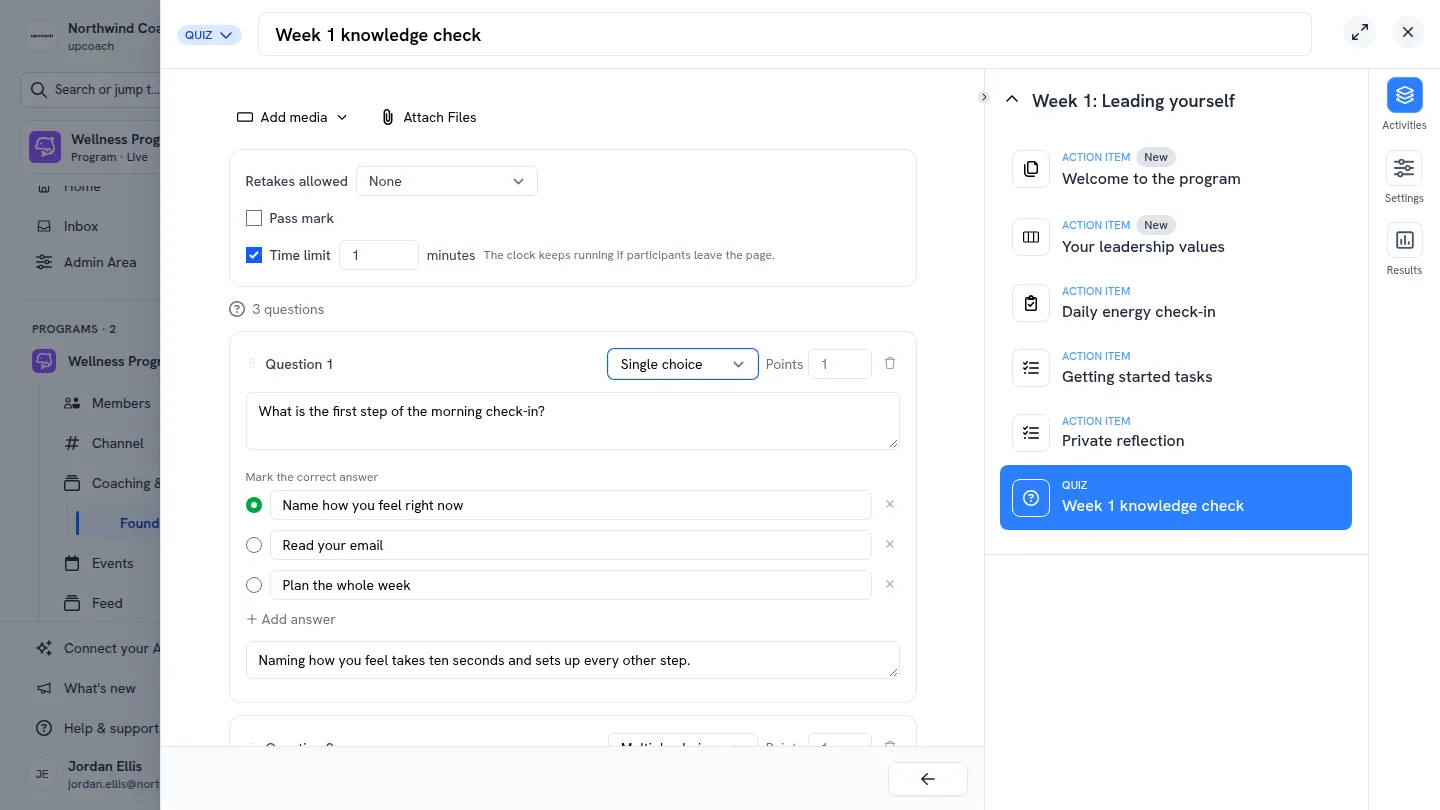
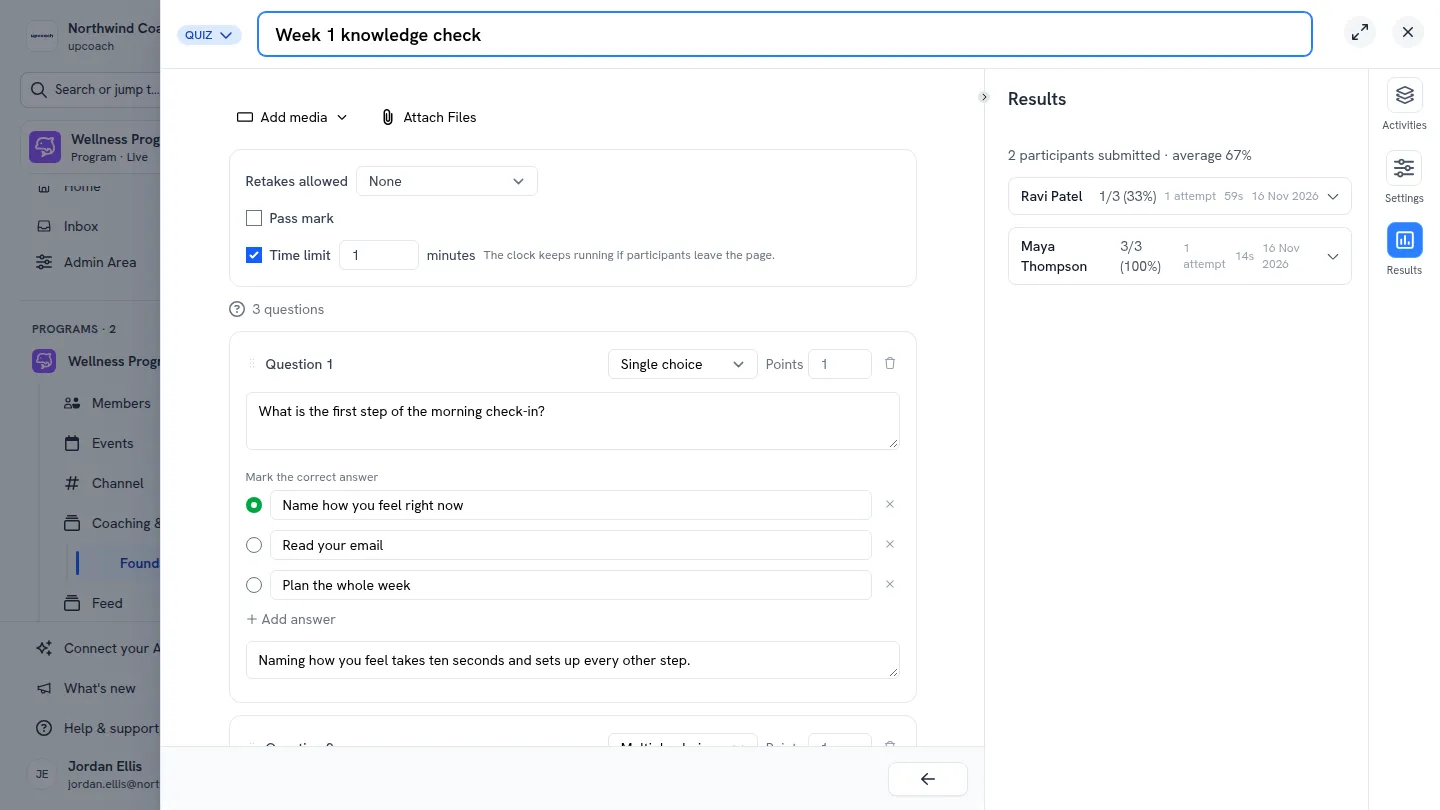
Tick Time limit and choose the minutes
Participants see the limit before they start
Time left counts down while they answer
Results show how long each participant took