New Events & calendar
Host Note Templates and Checklists
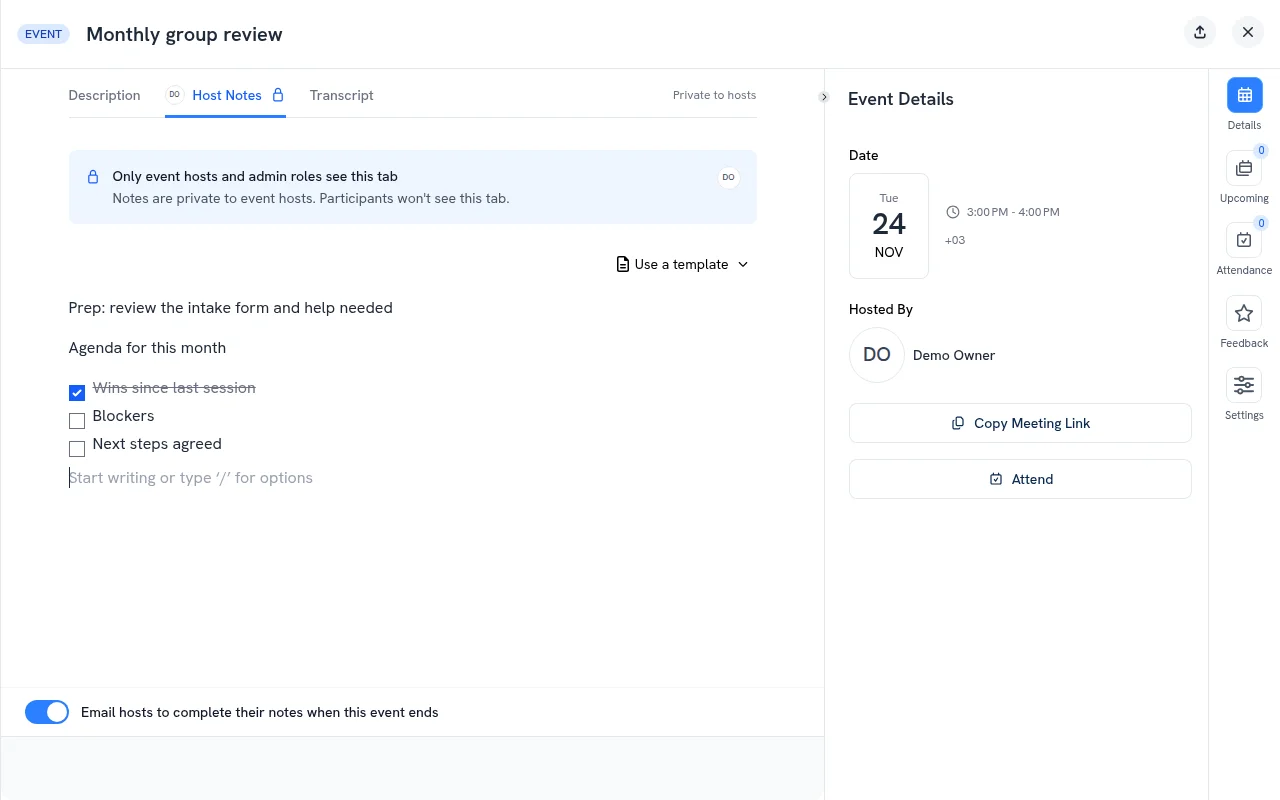
Stop writing the same host notes for every session. Admins save host note templates once, and hosts pick one when they prepare a session.
- Save templates for your workspace: in Admin Area > Brand & Settings > Events, under Host note templates, click Add template, give it a name and write the notes
- Pick one in Host Notes: on an event’s Host Notes tab, click Use a template. Its text is added after any notes already there, and you can still edit everything
- Checklists: type
/and choose Checklist, in a template or in host notes. Tick items off during the session, on desktop or phone, and each tick saves right away - Fresh for every session: ticks belong to that one session, so the next session of a series, or another session booked from the same package, starts unticked
Changing or deleting a template later leaves notes that already used it as they are.