


Improved Programs
Early November Improvements: Voice Messages, the Phone Composer and App Notifications
A few improvements across messaging and the upcoach v2 mobile app:
- Microphone access: when the browser blocks the microphone, tapping record shows a message that explains how to allow it in the browser’s site settings. It works wherever you can record: channels, direct messages, feed comments and the new post window. Video messages get the same note for the camera or microphone.
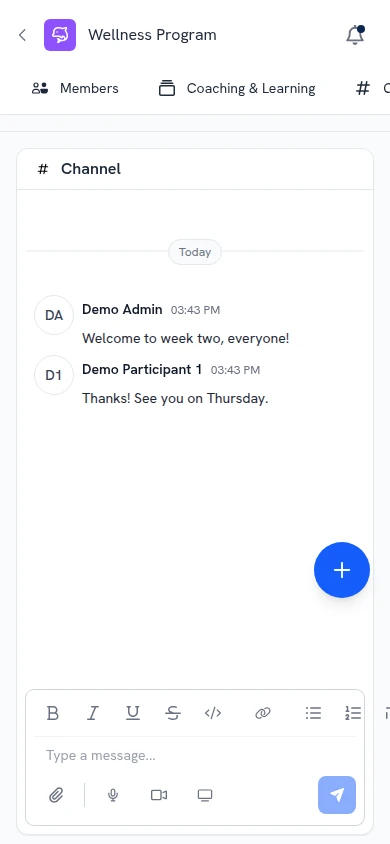
- Composer on phones: in channels, feed comments and Inbox threads, the message box and its buttons (attach, microphone, video, screen and send) sit fully on screen, and they stay above the keyboard while you type.
- Notifications in the upcoach v2 mobile app: a phone that was signed out of the app stops getting that person’s notifications after a while without use. Opening the app keeps a phone you use registered.
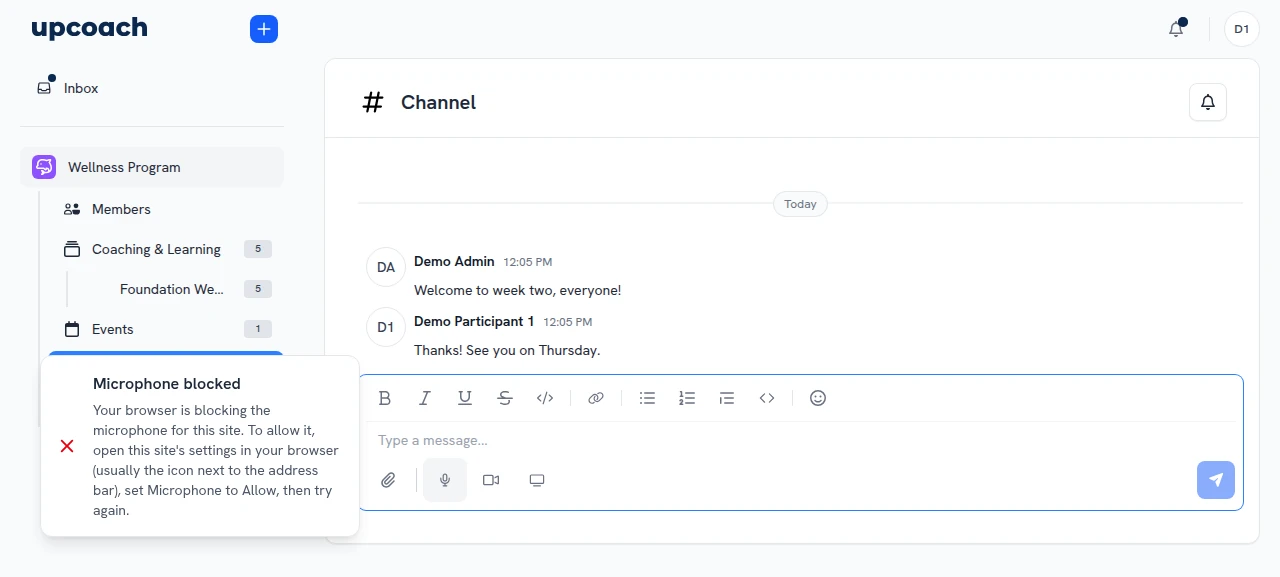
Tapping record when the browser blocks the microphone
The channel composer on a phone