



Improved Events & calendar
Booking Notices Show the Time in the Coach's Own Time Zone
When a participant books a session from a session package, the coach’s booking notice shows the session’s date and time in the coach’s own time zone, with the zone named, for example Thu, Nov 12 · 9:00 AM (New York). That’s the same in the inbox and in the Events section of the digest email. A coach who hasn’t set a time zone sees the workspace’s time zone.
The whole notice, date and time included, can be read in the inbox on desktop and on phones:
- Full text: the notice wraps over several lines, and hovering it shows the full wording.
- Buttons on phones: View Package Details and Upcoming Events sit on their own line under the text.
Each new booking writes its notice this way.
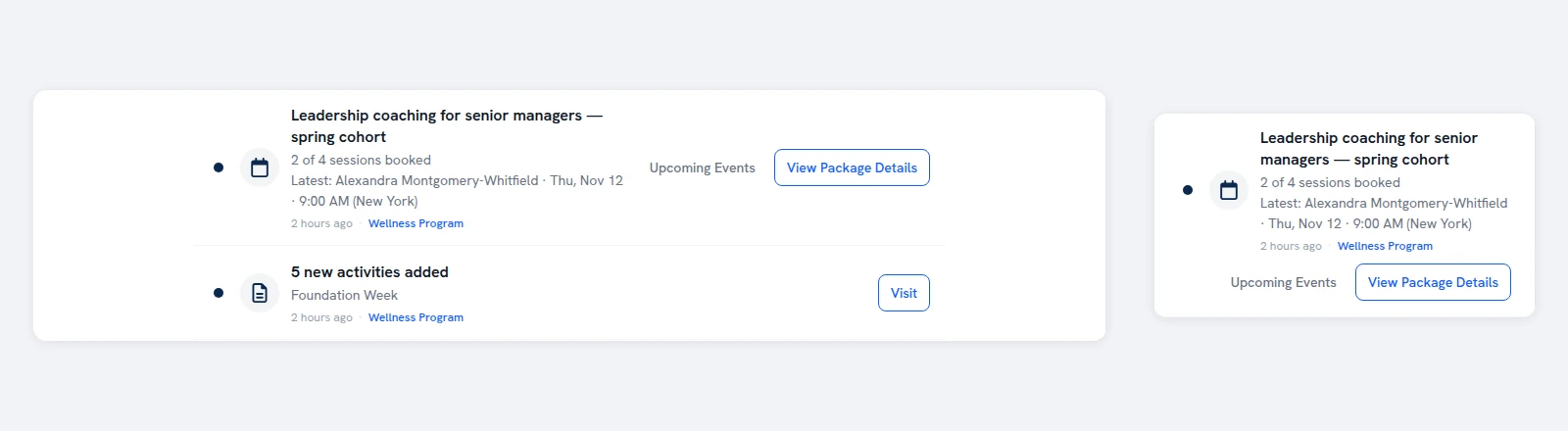

The whole notice in the inbox, on desktop and phone
The same time in the digest email