


Improved Programs
HTML Blocks in upcoach v2 Can Set Their Height and Open Links
In upcoach v2, a custom HTML block can set its own height and open a link without leaving the program page.
- Height: the block’s code can ask the page for the height it needs, and the block keeps that height.
- Links: the block’s code can open a web address. In a browser it opens in a new tab after a click. In the upcoach mobile app, the app’s Open External Link dialog shows the address, and Open takes it to the phone’s browser while the program page stays where it was.
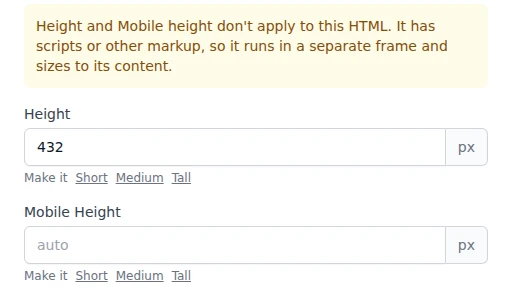
- Notes in the editor: the HTML block editor tells you when Height and Mobile height don’t apply, because the HTML has scripts or other markup and sizes to its content. The HTML and embed-code editors also say when an iframe address can’t be used.
- Iframe blocks: a block that holds only an iframe keeps its Height, even when the iframe code runs over several lines.
For code in a block: send { type: "htmlEmbedResize", height: 900, fixed: true } with parent.postMessage to set a height, or { type: "embedOpenLink", url: "https://example.com/page" } to open a link.
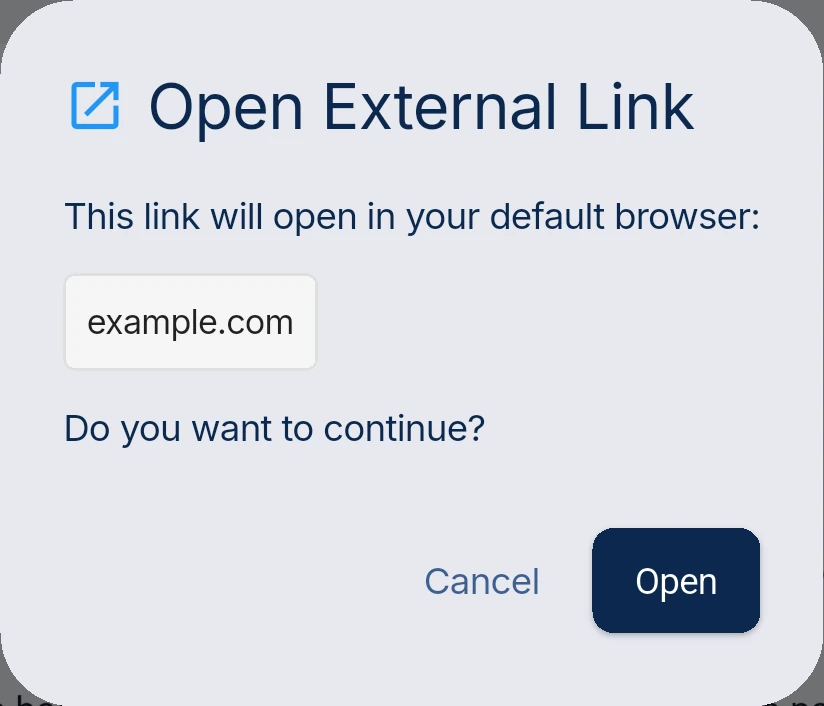
A link from an HTML block in the upcoach mobile app
The editor says when Height doesn't apply