


Know When Clients Submit a Check-In
When a client submits a check-in, the program’s coaches (Program Admins and Facilitators) now get a notification and an email, unless they turned off Activity Responses & Progress in their notification settings. Each check-in has one notification that shows how many responses it has and who answered last, such as 2 responses · Latest: Tom Becker. Click View Responses to read them. The emails come in your regular notification digest, grouped by check-in, rather than one email per answer.
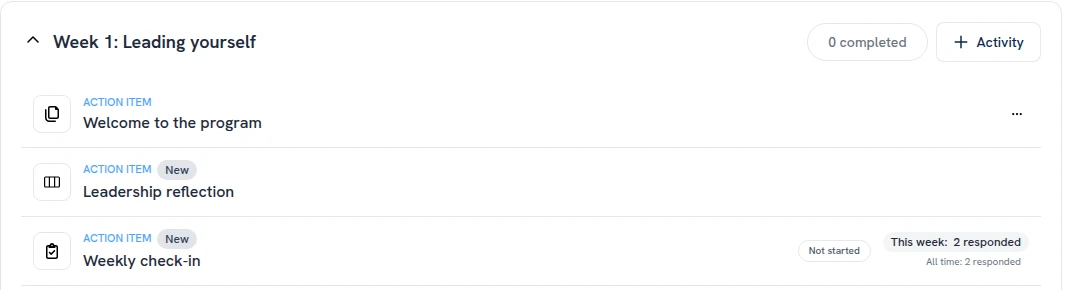
On the module page, each check-in also shows who answered this week, such as This week: 2 responded · 1 not yet. The week runs Monday to Sunday in the program’s time zone, and the count starts again every Monday; hover This week to see it. Below it, All time: 2 responded opens that check-in’s responses.
Coaches, admins and program sponsors see the counts. Clients don’t.

One notification per check-in
This week's answers on the module page