


AI coaching platform: AI coach bots vs platforms your AI assistant runs, and what to check
“AI coaching platform” means two different things. An AI coach bot talks to your clients itself, in chat or voice, and replaces part of the coaching conversation. A platform your AI assistant runs holds your programs, participants and progress, and lets your own assistant, such as Claude or ChatGPT, build programs, check progress and pull reports for you while you keep the coaching. Before you pick either, check who sees your clients’ data and what the AI is allowed to do in your name.
upcoach is the second kind: the coaching backend your own AI assistant works through, not a competing AI coach. This guide explains both kinds and what to check for each.
The two kinds of AI coaching platform
| AI coach bot | Platform your AI assistant runs | |
|---|---|---|
| Who talks to the AI | Your clients | You and your team |
| What the AI does | Answers clients, asks questions, sends prompts between sessions | Builds programs, schedules events, reads progress, drafts and sends messages you ask for |
| Whose AI it is | The vendor’s | Yours: Claude, ChatGPT or another assistant you already use |
| Where client data goes | Into the vendor’s AI conversations | Stays in the platform; what the assistant reads appears in your chat |
| Main risk | The bot says something you would not, to a client, without you seeing it | The assistant acts in your name with your permissions |
| Best for | Scaling simple, repeatable prompts to many people | Coaches and program operators who want less admin, not less coaching |
Bottom line: if you want AI to talk to your clients, you are evaluating an AI coach bot. If you want AI to do the work around your coaching, you need a platform your assistant can run. Many coaches looking for an “AI coaching platform” want the second and are shown the first.
AI coach bots: what to check
An AI coach bot is the vendor’s AI talking to your clients. It might be a chat inside an app, a voice assistant, or a bot that messages clients between your sessions. The appeal is reach: one coach, many conversations. The trade-off is that you are not in those conversations.
Ask the vendor, and get the answers in writing:
- Where are client conversations stored, and for how long? Clients tell a coaching bot personal things. Find out where that text is kept and whether you or the client can delete it.
- Who can read them? You, the vendor’s staff, the AI model provider? Ask whether conversations are used to train or improve any model, and whether you can opt out.
- Does the client know it is a bot? Clients should never wonder whether they are talking to you.
- What happens when it is out of its depth? Ask what the bot does with a topic it should not handle, such as health, money or a crisis, and how it hands over to a person.
- Whose method does it coach? A bot trained on general advice coaches general advice. Check whether you can give it your framework, and whether you see what it actually tells clients.
- Can you review its conversations? If you can’t see what it said, you can’t stand behind it.
If the answers are vague, the bot is speaking for you with no one checking. That matters more the more your clients pay you.
Platforms your AI assistant runs: what to check
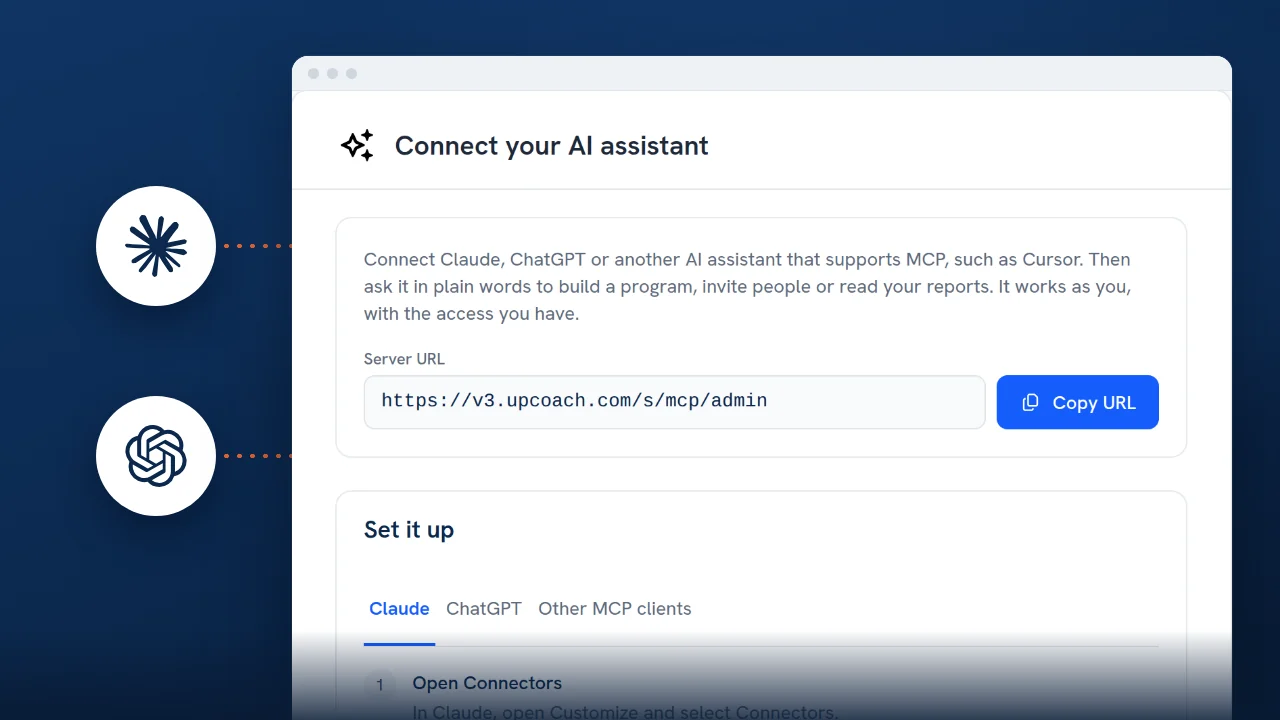
Here the AI does not talk to your clients. You connect the assistant you already use to the coaching platform, usually through MCP (an open standard for linking AI assistants to other software), and ask it to do the work: “build a 6-week program with a weekly check-in”, “who hasn’t done this week’s worksheet?”, “write a short update for Sarah’s sponsor”. The clients keep using the platform as before.
The questions are about access and data:
- Who can connect it, and as whom does it act? The assistant should act as the person who connected it, within that person’s roles, and only when that person uses it.
- Does it see your password? It shouldn’t. Look for an OAuth connection, where the assistant gets a token instead.
- Is there a published list of what it can do? “AI-powered” tells you nothing. You want the list of tools, and the list of things it can’t do.
- What reaches participants in your name? Invitations, posts, channel messages and event changes go out as you. Know which ones the assistant can send, and ask it to draft before it sends.
- Where does client data go? The data stays in the platform, but whatever the assistant reads (a participant’s progress, their worksheet answers) appears in your chat. Check your AI account’s own data and retention settings, and connect from an account you control, such as your organization’s plan.
- Can you disconnect it at once? You should be able to cut access from the platform, without asking the AI provider.
- Do participants need an AI account? They shouldn’t. The assistant is for you and your team.
For how this works in a group program, with a checklist for comparing tools, see group coaching software with AI. For a week-by-week routine run from the chat, see how to run a coaching program with ChatGPT.
How upcoach answers those questions
upcoach is a platform your assistant runs. It holds your programs, events, offers and payments, participants and progress reports; the assistant you connect builds the curriculum, posts to the program and reads its progress. Here is how it answers each question above, from the MCP help article and the Claude and ChatGPT feature page:
| Question | upcoach today |
|---|---|
| Which assistants | Claude, ChatGPT, Claude Desktop, Cursor, and any MCP client that supports remote servers with OAuth (streamable HTTP) |
| Who can connect | An organization Owner, Admin or Implementation Admin. Program-level roles, such as a Program Facilitator, can’t |
| As whom it acts | As you, with your account’s roles and permissions, only when you use it: in a conversation, or a task you schedule in your assistant |
| Your password | Never shared: the assistant gets an OAuth token for the connector’s tools only |
| What reaches people as you | The authorization page lists it before you click Authorize: invitations, posts, channel messages and event notifications |
| What it can’t do | Delete a program; work with offers, payments or checkout; upload files; read your feed, channel messages or direct messages; create or edit groups; set check-in schedules, reminders or due dates; change workspace settings, billing or branding |
| Disconnect | Admin Area > Integrations > AI assistants > Connected apps, or Connected apps in your profile. The AI tool loses access at once |
| Participants | Don’t need an AI account; they use upcoach on the web or the mobile app |
| Plans | Included in every upcoach plan, at no extra charge |
On the AI side, custom connectors work on every Claude plan, including Free (one custom connector). In ChatGPT, custom MCP connections work on Business, Enterprise and Edu, on the web; on ChatGPT Pro the connection is read-only, so tools that create or change things won’t run.
What the assistant does in upcoach, in three jobs:
- Build programs. Create a draft program with sections, modules, lessons, worksheets, quizzes, task lists and check-ins, and reuse activities from your library. A new program stays a draft until you publish it.
- Check progress. See who has and hasn’t completed an activity, find participants who haven’t been active for a number of days, and read worksheet and check-in answers.
- Pull reports. Get a program’s progress report or one participant’s profile across programs, and turn it into an update for a client or sponsor.
In assistants that support MCP Apps, progress can come back as a card. Its Draft a check-in for who went quiet button asks the assistant to draft a message for you to review, and not to send it yet. For a sponsor or client organization, upcoach also has shareable impact reports that show group totals, not individual participants.
For the full picture of what upcoach holds and what your assistant does with it, read Run your coaching programs from your AI. To try it, start a 14-day free trial, open Admin Area > Integrations > AI assistants, connect your assistant and ask it to “Show me my programs.”
Frequently asked questions
What is an AI coaching platform?
The term covers two different products. An AI coach bot talks to your clients directly, in chat or voice, between or instead of sessions. A coaching platform your AI assistant runs keeps your programs, participants and progress, and lets an assistant such as Claude or ChatGPT build programs, check progress and pull reports for you. The first replaces part of the coaching conversation; the second takes over admin work.
Is upcoach an AI coach?
No. upcoach is the coaching backend your own AI assistant works through. You connect Claude, ChatGPT or another MCP client, and the assistant acts as you inside upcoach: it builds programs, reads progress and drafts or sends messages you ask for. Your participants use upcoach on the web or the mobile app and don’t need an AI account.
Who sees my clients’ data when I use an AI coaching platform?
It depends on the kind. With an AI coach bot, clients write to the vendor’s AI, so check where conversations are stored, who at the vendor can read them and whether they are used to train models. With a platform your assistant runs, the data stays in the platform, but anything the assistant reads appears in your chat, so your AI account’s data settings apply to it.
What permissions should an AI assistant have in my coaching platform?
No more than the person who connected it. Look for a connection where the assistant acts as you within your roles, gets a token rather than your password, works only through a published list of tools, and can be disconnected at once. Check what it can send to participants in your name, and what it cannot touch, such as payments and settings.
Do my clients need an AI account to use an AI coaching platform?
Not with a platform your assistant runs: the assistant is for you and your team, and clients use the platform as usual. With an AI coach bot, clients talk to the bot itself, usually inside the vendor’s app or a chat channel the vendor sets up.