


Clients Hear About Every New Activity, and About the Lesson Changes You Share
When you add a lesson, worksheet, check-in or other activity to a section your clients can already open, in a published program, they hear about it in their next email digest, even if they were emailed about that section before. Several additions close together come in one email.
When you change a lesson in a section your clients can already open, in a published program, you can now tell the program’s participants about it: tick Notify participants next to Save in the lesson editor. They get a notification, such as “Welcome to the program was updated”, with a View lesson button, and an email in their next digest. The box is off by default, so everyday edits stay quiet. Only the participants of the program you’re editing in are notified, even when the lesson is also used in other programs.
Clients who turned off Activities in their notification settings, or all email, don’t get these emails.
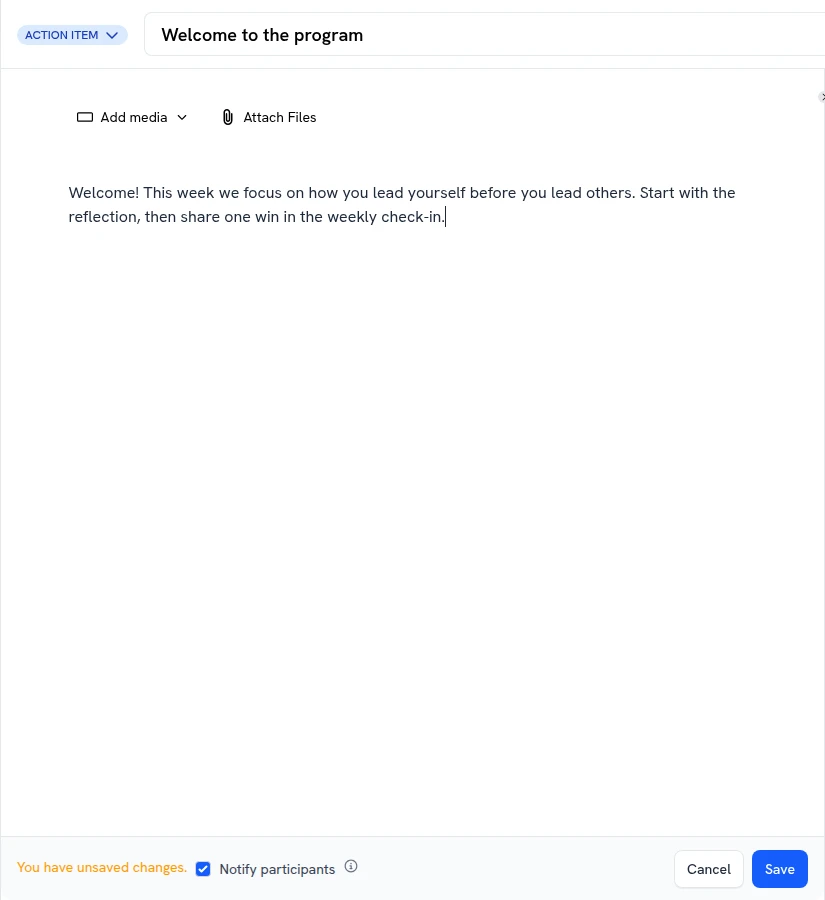

Notify participants when you save a lesson change
What your clients see