


An all-in-one coaching platform holds the whole program behind one login: the curriculum and the work between sessions, live and booked sessions, the group’s community, checkout and payments, and the reports. Clients open one place to do the week’s work, and you see in one place who did it. No platform does everything, so judge one by what it includes, what it leaves out, and how it connects to the tools it leaves out.
This guide is for coaches and trainers who run programs and are tired of stitching them together from five tools. It covers what “all-in-one” should mean, what it usually doesn’t, what trainers need on top, a checklist, and where upcoach fits.
What is an all-in-one coaching platform?
An all-in-one coaching platform is software that runs a coaching or training program from the first sale to the final report. Instead of a course tool for content, a chat app for the group, a booking tool for calls, a form tool for check-ins and a spreadsheet to track it all, the program and everyone in it live in one place.
The test is not the length of the feature list. It is whether a client can do a week of your program without leaving it, and whether you can see what they did without exporting anything.
What an all-in-one coaching platform should include
Six jobs make up most coaching programs. An all-in-one platform should cover each of them inside the program, not beside it.
| Job | What it covers | What to check |
|---|---|---|
| Program and content | Lessons, a curriculum that opens week by week, a start and an end | Can you reuse the program for the next cohort or client? |
| Work between sessions | Worksheets, check-ins, task lists, quizzes | Are answers stored per client, and can you see who did them? |
| Sessions | Group calls, 1:1 bookings, reminders, calendar sync | Is each session linked to the week it belongs to? |
| Community | Channels, a feed, comments, smaller groups | Does the conversation sit inside the program, or in another app? |
| Selling | Offer pages, checkout, payment plans, bundles | Does a buyer land in the program on their own when they pay? |
| Reports | Progress, attendance, before-and-after results | Can you show a client or sponsor what changed? |
Two more are worth checking: a mobile app, because most work between sessions happens on a phone, and a way to connect the tools the platform doesn’t replace.
What “all-in-one” usually leaves out
Most platforms called all-in-one still leave some jobs to other tools. Ask about each before you move, so nothing comes as a surprise in the first week:
- The video call. Many platforms schedule sessions and send the reminders, but the call itself runs on Zoom or a similar tool.
- Email marketing. Newsletters, sequences and funnels to people who haven’t bought yet are often a separate tool.
- A CRM. Leads and sales conversations before someone joins a program usually live elsewhere.
- Your website. An offer page with checkout is not the same as a full website with a blog.
- A branded app in the stores. Many platforms have their own app; one under your name is often a custom arrangement.
None of these is a reason to rule a platform out. What matters is that the program itself lives in one place, and that the platform hands the rest to your other tools through Zapier, webhooks or an API.
An all-in-one coaching platform for trainers
Trainers running cohorts, bootcamps or workplace programs need the same core, with more weight on a few parts:
- A schedule for the content. Modules that open on set dates or after the previous one, so a cohort moves together.
- Checks of understanding. Quizzes and exercises inside the module, not in a separate form tool.
- Live sessions tied to the curriculum. A recurring series where each session sits in the week it belongs to, with attendance recorded.
- Feedback after each session. Ratings you can read across the cohort while the training is still running.
- A report per cohort. Who started, average progress and completion by section, and a before-and-after you can hand to the client who paid for it.
If you run the same training several times a year, also check how fast you can set up the next cohort from the last one.
How to choose an all-in-one coaching platform
- Walk a client’s week. Invite yourself as a client and do one week of a program: the lesson, the check-in, the session, a post in the group. Count how often you leave the platform.
- Check what you can see. Who is on track, who went quiet, and what changed, without opening every client’s record.
- List what it leaves out. Video calls, email marketing, a CRM, your website. Decide which tools you keep beside it.
- Check the connections. Zapier, webhooks or an API, for the tools you keep.
- Check what each plan includes. Read the plan comparison, not only the feature pages, for the parts you would use in the first year.
Where upcoach fits
upcoach runs coaching and training as programs, and every part of the program sits inside it. The features overview groups them as build, sell, run and prove.
Programs. Pick a program type, such as group coaching, a cohort-based course, a mastermind, a challenge, a bootcamp or a 1:1 program, and its structure comes built in: sections, community, and a curriculum, live sessions, assessments and a release schedule where the format uses them.
Work between sessions. Worksheets, check-ins and task lists sit inside each week’s module. Check-ins can track numbers, and a trend graph appears from the second submission. Every plan also includes lessons, assignments and quizzes. See accountability activities.
Sessions. One-off events or recurring series, each linked to its week, plus bookable 1:1 sessions with rules like one session per week or a fixed package. Reminders go out automatically, with Google Calendar or Outlook sync. After each event, participants rate the session. See events and scheduling.
Community. Each program has its own channels, a program feed, comments, reactions and @mentions, and you can split a large cohort into sub-groups with their own channel and events. See community and peer learning.
Payments and offers. Each offer gets its own shareable page with checkout through your Stripe account: one-time payments, payment plans, subscriptions, bundles and coupons. The moment someone pays, they are enrolled in the right program and sub-group. See selling programs and bundles.
Reports. Program reports show who started, average progress and completion by section, with a table of each participant’s progress and last active date. AI Insights summarize open-ended answers, and, within your plan’s monthly allowance, an impact report shares what changed as group totals. See progress tracking and reporting.
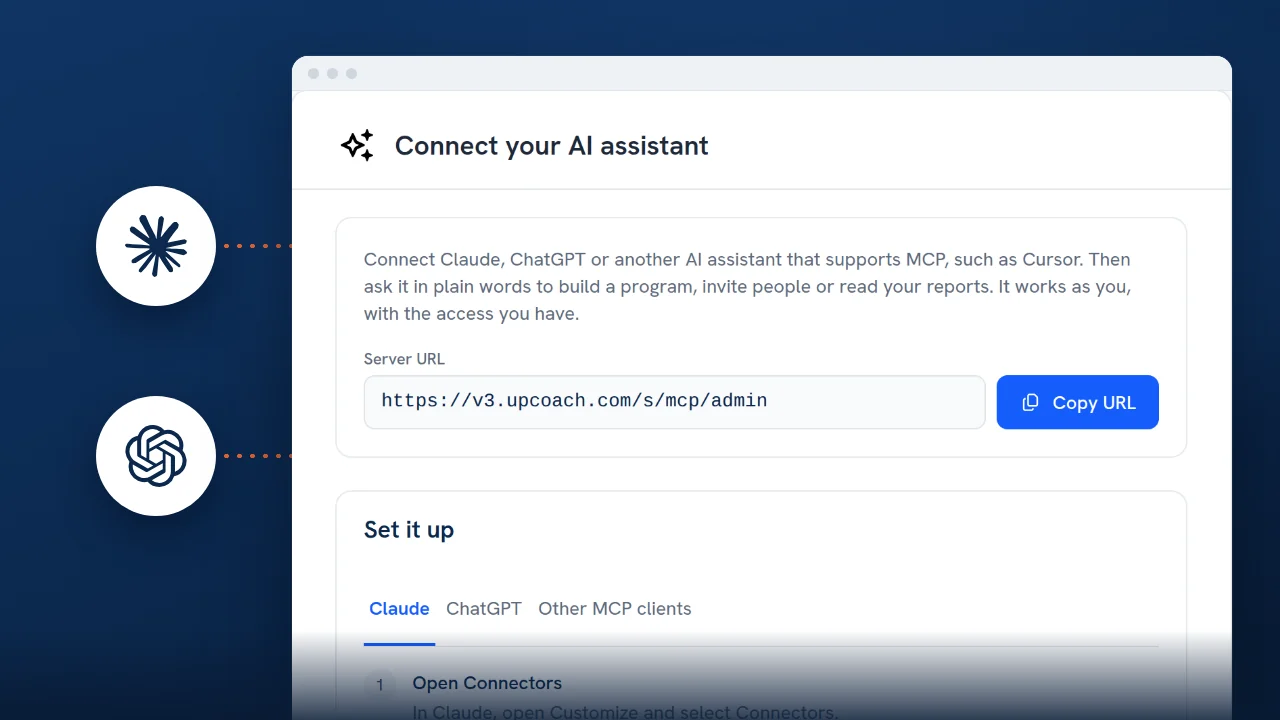
Your AI assistant. Connect Claude or ChatGPT through MCP and build programs, find inactive participants, post updates, schedule events and pull reports by asking. It is included in every plan. See work with Claude and ChatGPT.
The mobile app. The upcoach app for iOS and Android is free on the App Store and Google Play, and the pricing page lists it on every plan. Participants can also do the work in any mobile browser. See coaching platform with a mobile app.
What upcoach doesn’t include
- Video calls. The call runs on your conferencing tool, such as Zoom. upcoach handles the schedule, RSVPs, reminders, attendance and feedback around it.
- Email marketing and funnels. Not part of upcoach. Keep your email tool and link to an offer page from it.
- A CRM. Keep your CRM, and use Zapier to add a row to it when someone buys an offer.
- Direct messages between participants. Participants talk in channels, on the feed and in comments, not in private one-to-one messages.
- A branded app in the stores. The participant app is upcoach’s own. A fully managed branded app is a custom option on Scale and Enterprise.
For the tools you keep, integrations covers Zapier, signed webhooks and the API, on every plan. A Zap can start when someone joins a program, completes an activity or buys an offer, and can invite someone to a program from another tool.
To see whether your program fits in one place, start a free trial: 14 days, no credit card required.
Frequently asked questions
What is an all-in-one coaching platform?
A platform that holds a whole coaching program behind one login: the curriculum and the work between sessions, the live and booked sessions, the group’s community, checkout and payments, and the reports. Clients open one place to do the week’s work, and you see in one place who did it.
Does an all-in-one coaching platform replace every other tool?
Rarely. Most still leave some jobs to other tools, such as the video call itself, email marketing or a CRM. What matters is that the program lives in one place and that the platform connects to the tools it leaves out, through Zapier, webhooks or an API.
What should an all-in-one coaching platform for trainers include?
A curriculum that opens on a schedule, quizzes and exercises, live sessions linked to the right week, attendance and session feedback, and a report on each cohort. If you run the same training again, check that you can reuse the program for the next group.
Does upcoach include video calls?
No. The video call itself runs on your conferencing tool, such as Zoom. upcoach handles everything around it: the schedule, the link from the week’s module, RSVPs, reminders, attendance in your reports and the feedback afterward.
Is everything in upcoach included on every plan?
The core is. Programs, worksheets, check-ins, tasks, lessons and quizzes, events, community, payments, the participant mobile app, AI insights, the Claude and ChatGPT connection, and the API, webhooks and Zapier are on every plan. Custom branding and team roles start on Pro.