Reactivating a subscription
You canceled your subscription, and the cancellation date has not yet passed; if you change your mind, you can instantly reactivate your canceled subscription.
Here's how to do it 🥹
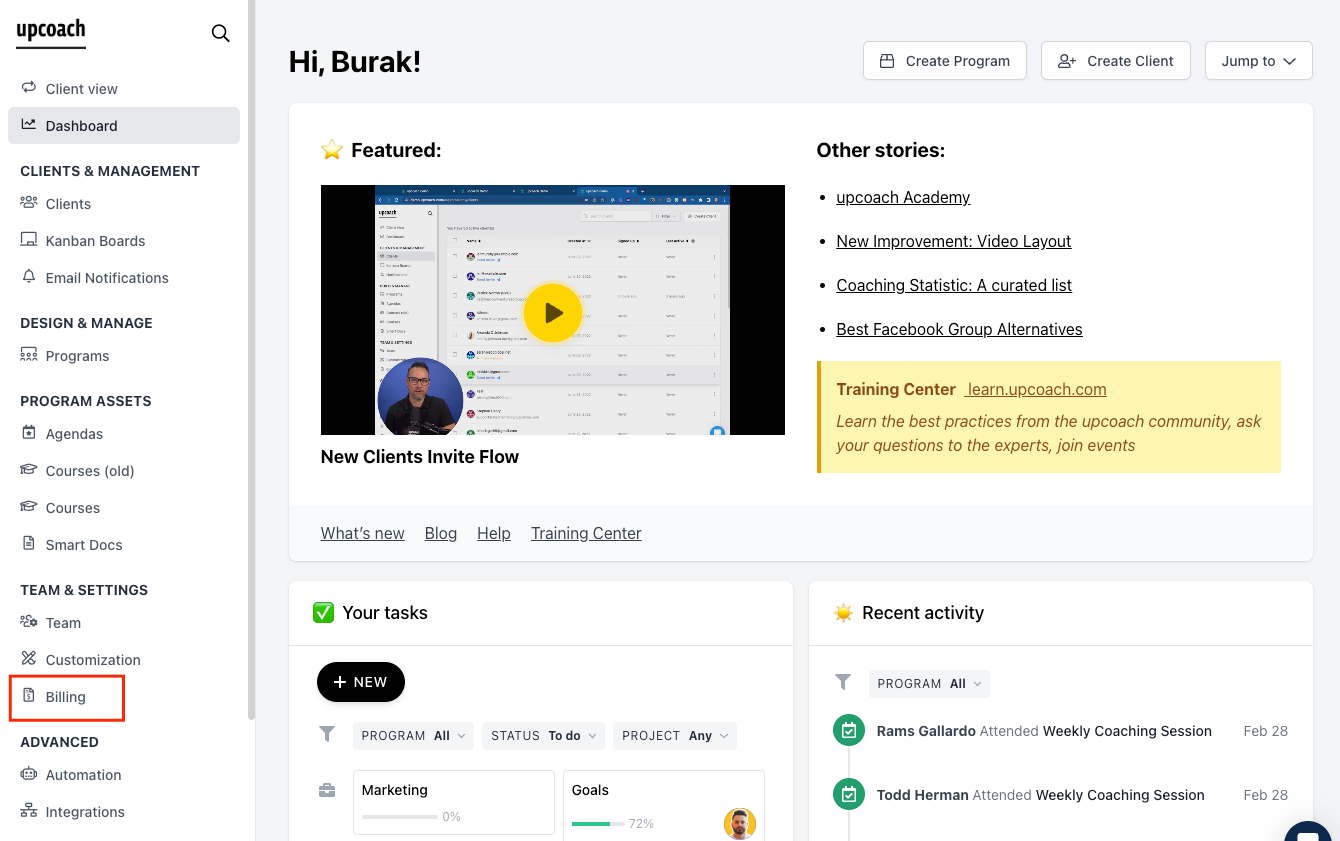
In the Admin Area, click on billing.
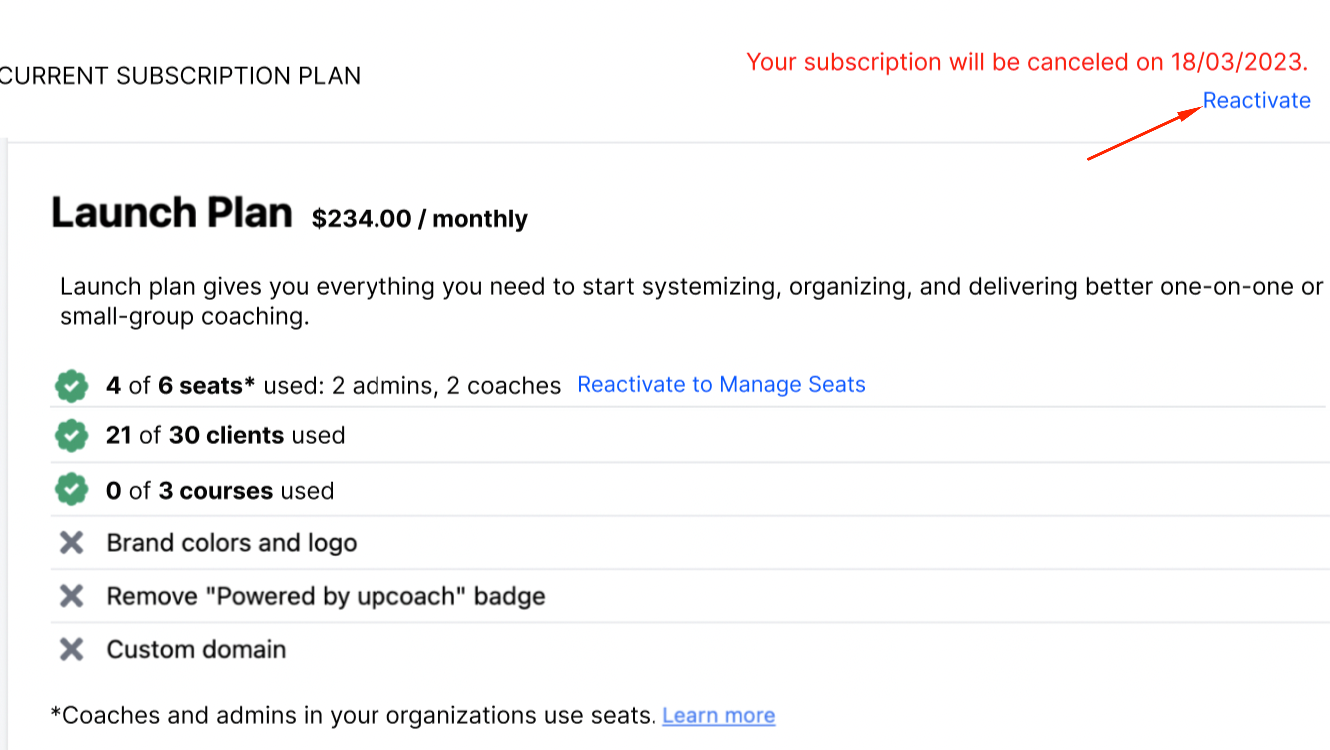
To reactivate, click on the Reactivate button available on the Billing Portal
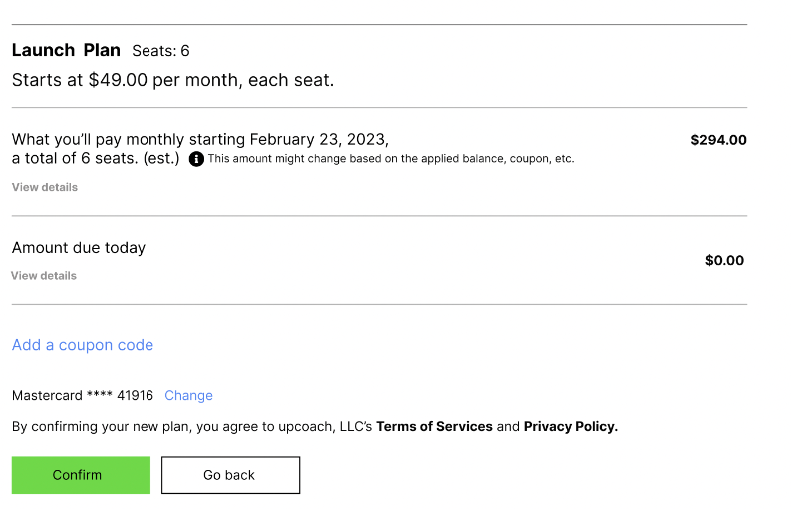
Confirm the reactivation.
Yes, that's it! Welcome back 🤩
If you need more help, please feel free to contact us inside the platform by clicking on the chat messaging bubble in the lower right corner.