How to duplicate a Course
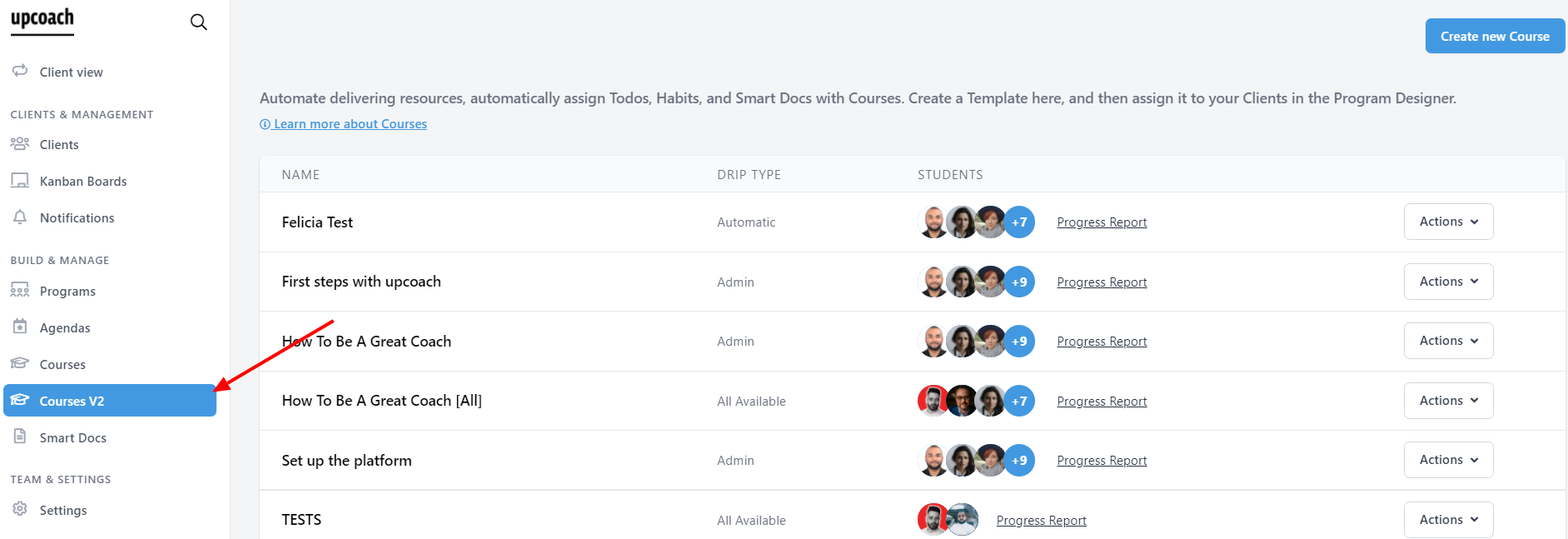
To duplicate a Course, go to the admin area, and click on Courses .
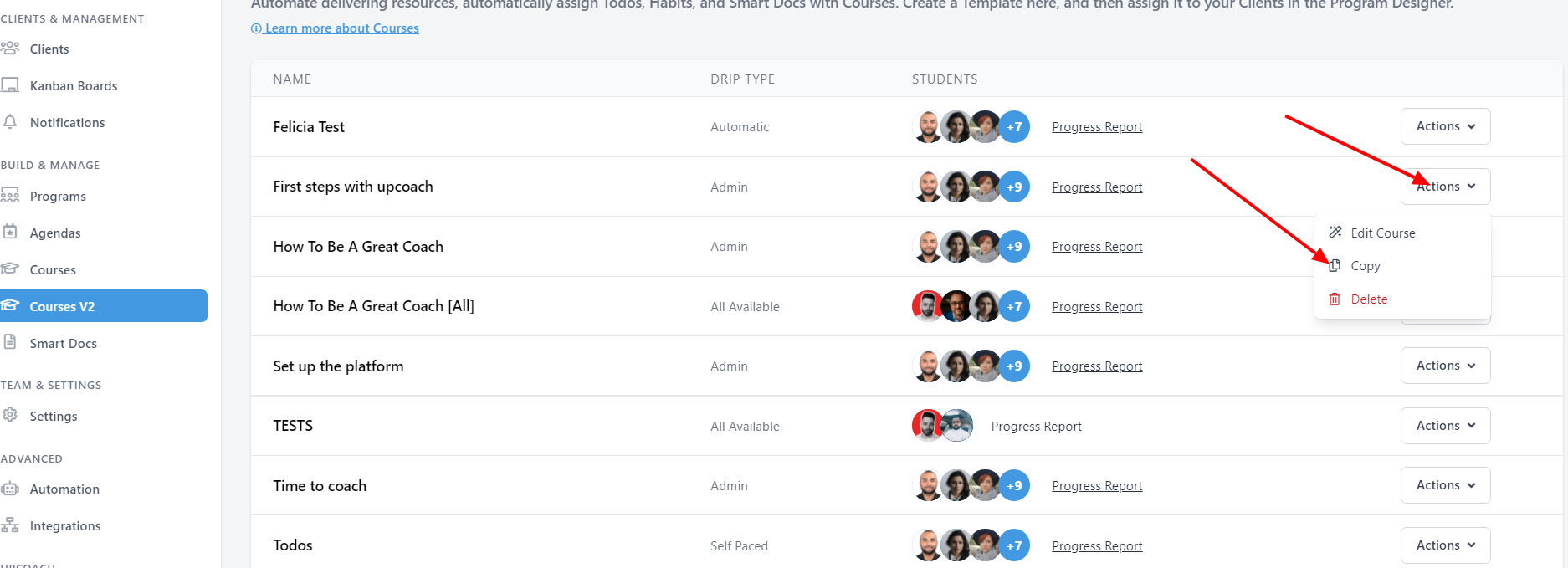
Click the dropdown menu "Actions" on the course that you want to duplicate and select Copy
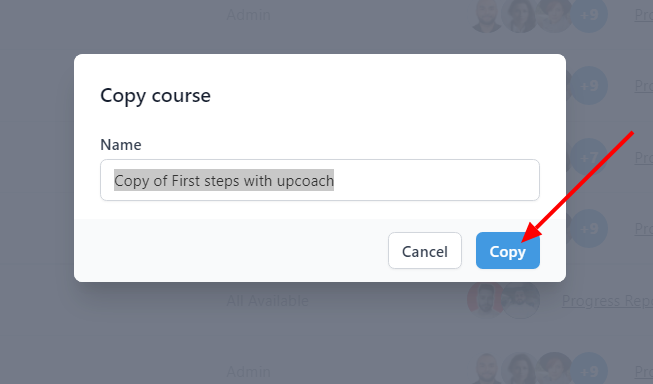
Name the new copy of your Course and click on Copy.
To duplicate a Course, go to the admin area, and click on Courses .
Click the dropdown menu "Actions" on the course that you want to duplicate and select Copy
Name the new copy of your Course and click on Copy.