How to schedule a Post?
You can write multiple Forum Block posts in advance and easily schedule them to be published at particular times.
Go to the Forum Block in your Program, and select the Category you want to share a post.
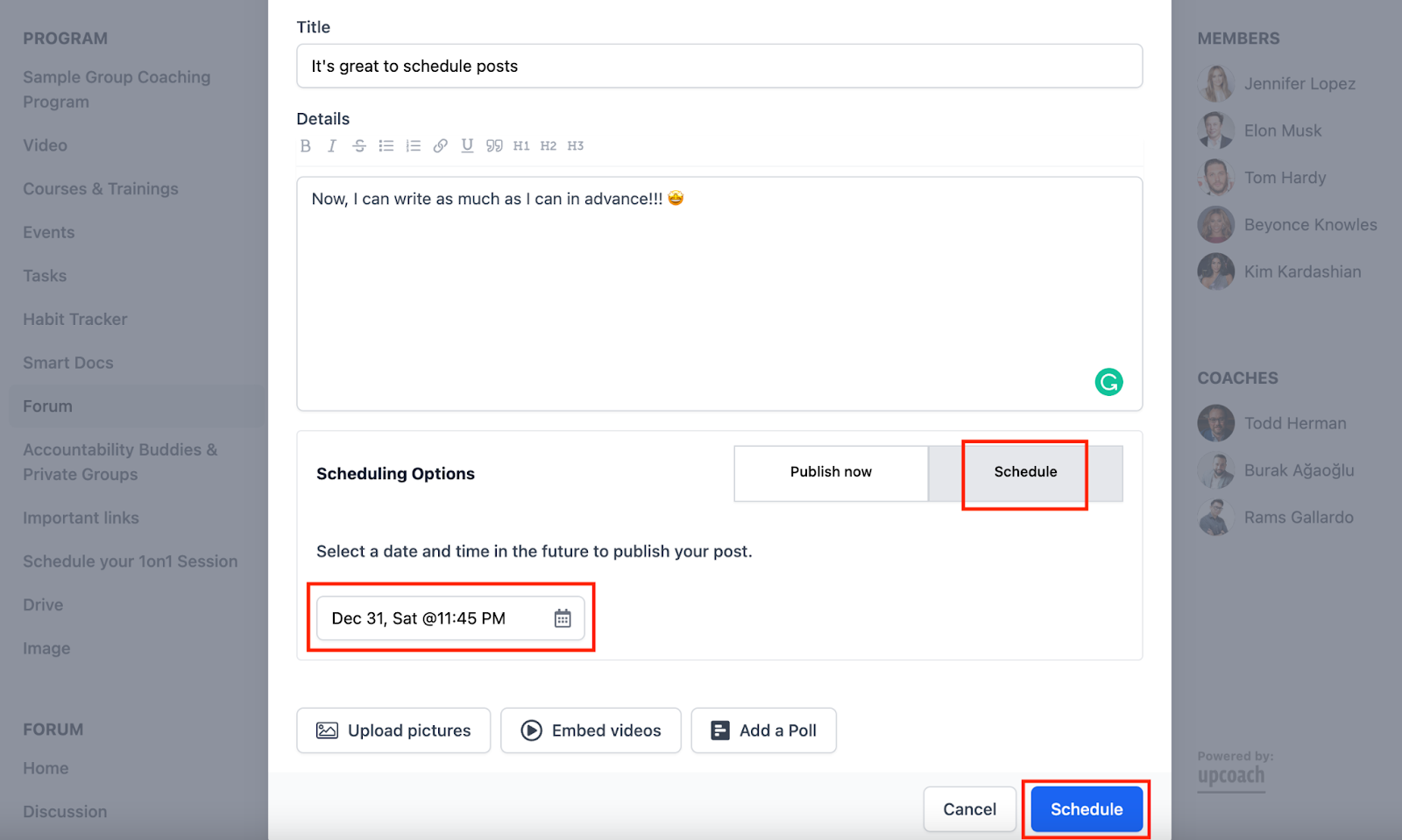
Enter your post.
Select Schedule, then the time picker will show up, and Publish button will be updated as Schedule.
Select the date and time for the publishing
And Schedule!
⚠️ NOTE: The post you create will be shared on the date you plan in your time zone.
Editing & Deleting the Scheduled Post
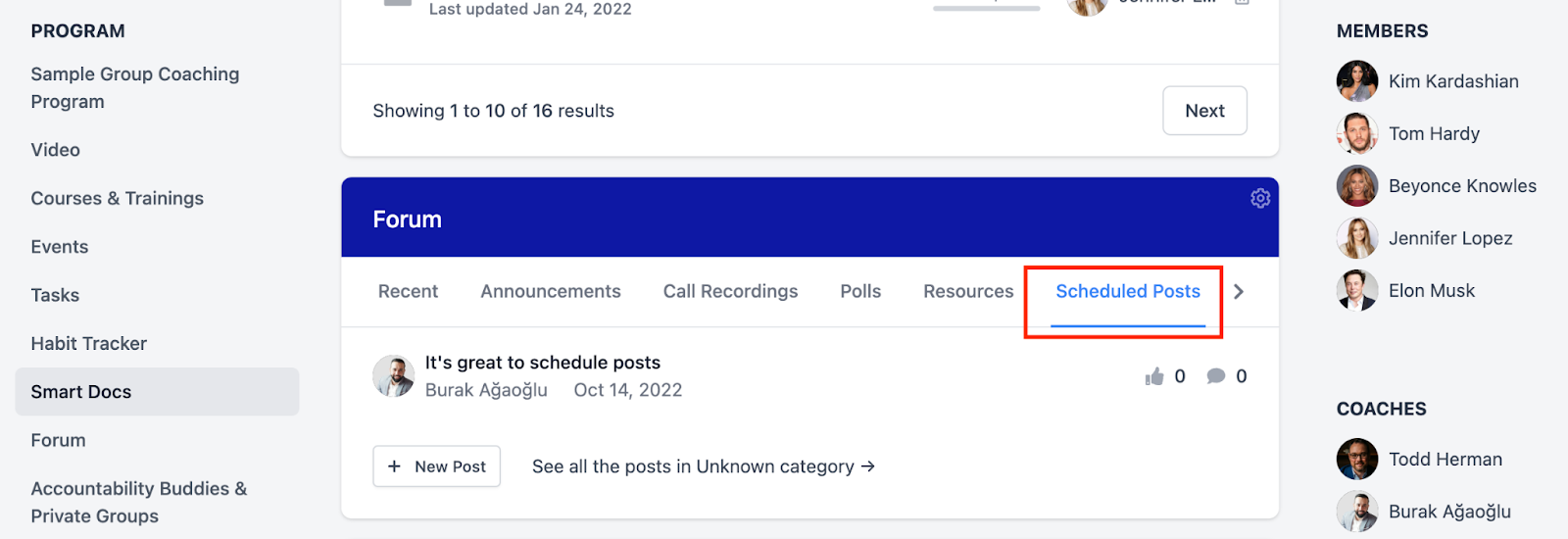
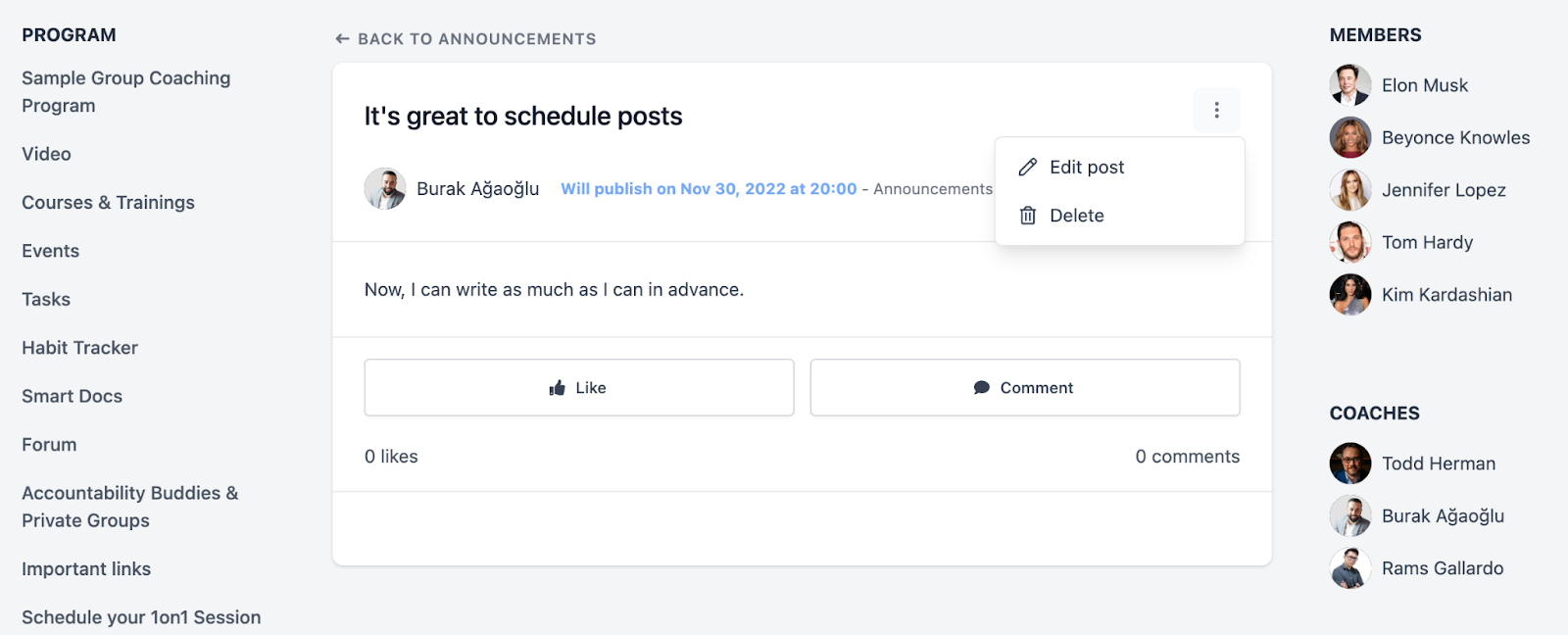
You can edit, delete, reschedule or share your scheduled post.
Go to the Scheduled Post Category
Select the three dots, and You can update or delete the post.
If you need further support, please contact us at support@upcoach.com or inside the platform by clicking on the chat messaging bubble in the lower right corner.